Eight steps, one working account.
Silverline Studios, a real link building agency, followed from an empty domain list to a paid invoice - the same account throughout, nothing staged for a screenshot.
What you will have done by step eight.
The tour follows one agency's account. Run the same steps on a trial and this is where you end up.
A priced domain list
Your domains in one place, each with its DR, traffic, turnaround, and rate, ready to quote from.
An order that finished itself
Placed once, with the target URL and anchor locked, and marked Completed when the link was verified live.
An invoice you never typed
Generated from that order with the due date and tax applied, and payable from the client's wallet.
A team with its own views
Six roles set up, with tickets and task cards attached to the orders they are about.
Or watch it end to end
About eighty seconds with music, one continuous pass through the account below.
Six domains, priced and ready
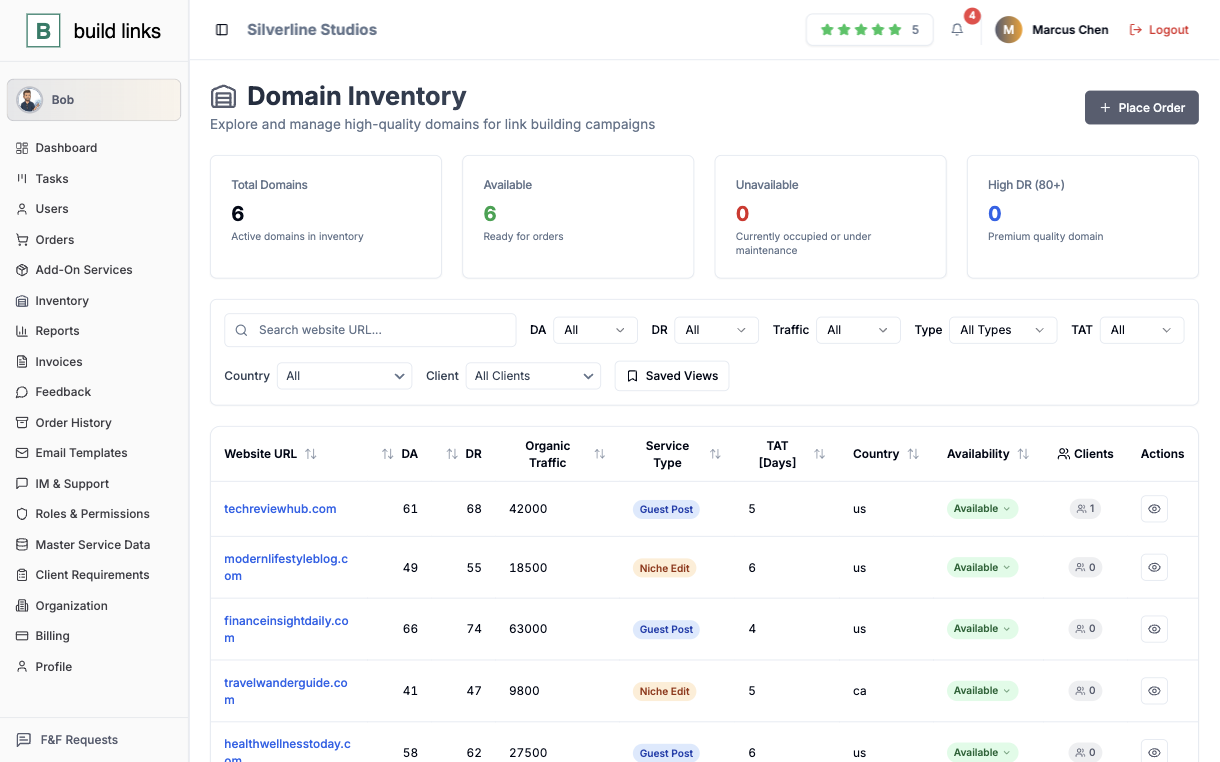
techreviewhub.com, modernlifestyleblog.com, financeinsightdaily.com, and three more sit in one list, each carrying its own DR, DA, traffic, service type, turnaround time, and availability. Filtering by any of those narrows the list before a quote goes out, and a new domain needs approval before it can be added to an order.
An order that updates on its own
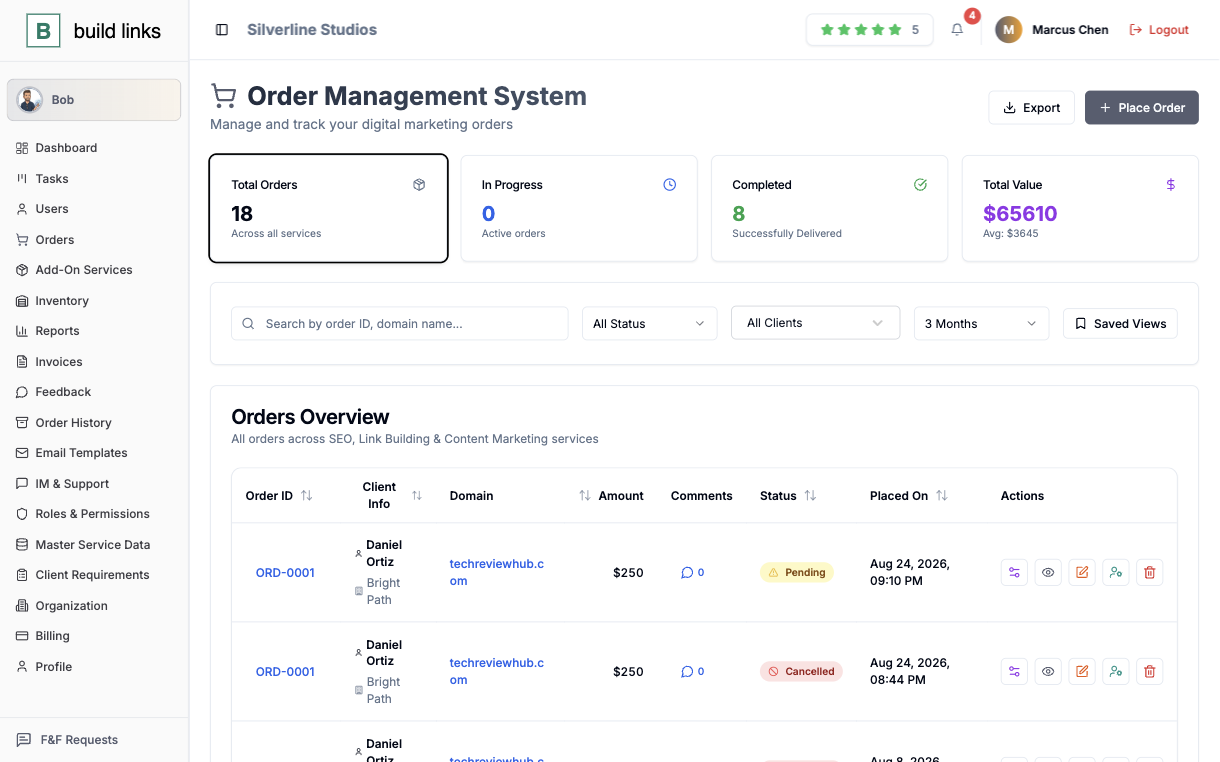
Seventeen orders worth $65,560 move through Pending, In Progress, and Completed here, eight of them already finished - each keeping its client, domain, and amount attached from the moment it's placed. Target URL and anchor text lock in at that same moment, and a status moves to Completed on its own once the link is verified live.
Seven invoices, none typed by hand
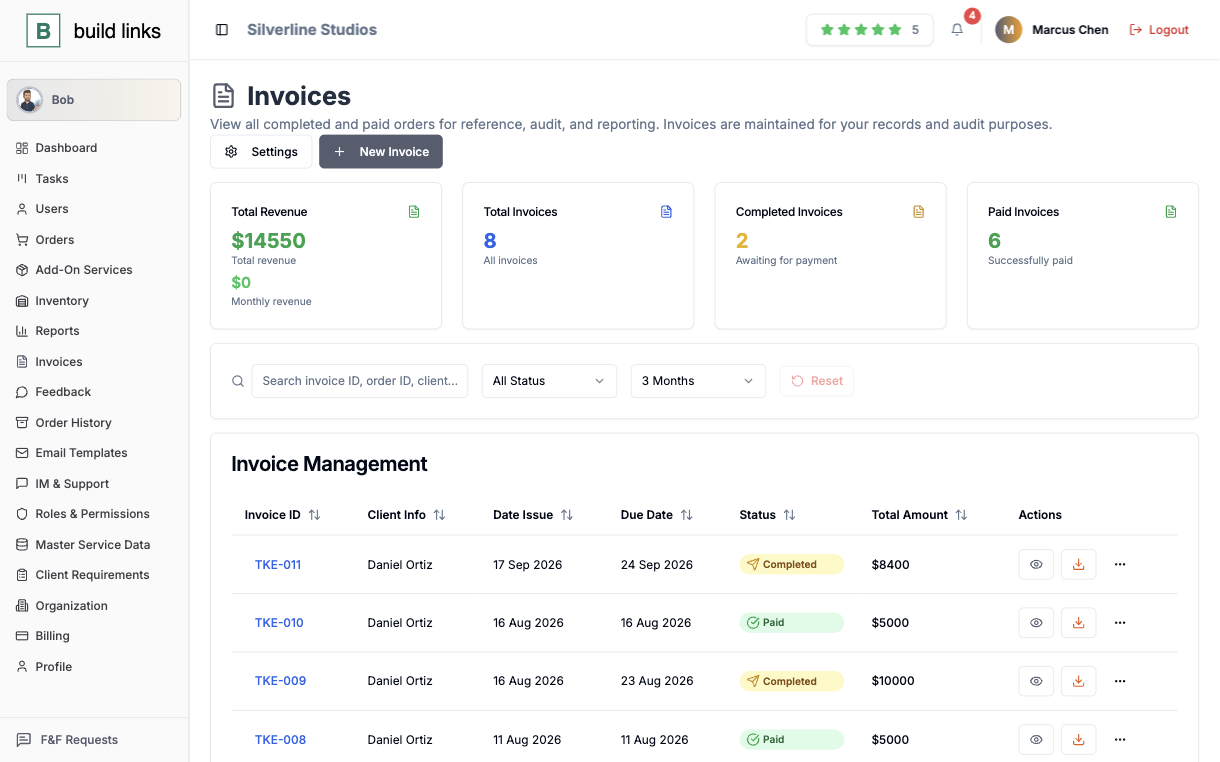
$14,550 tracked automatically - six invoices paid, one completed and waiting - generated straight from finished orders with due dates already applied. Tax comes out the same way, applied at the country's own VAT or GST rate instead of being worked out by hand.
The agency's own brand, throughout
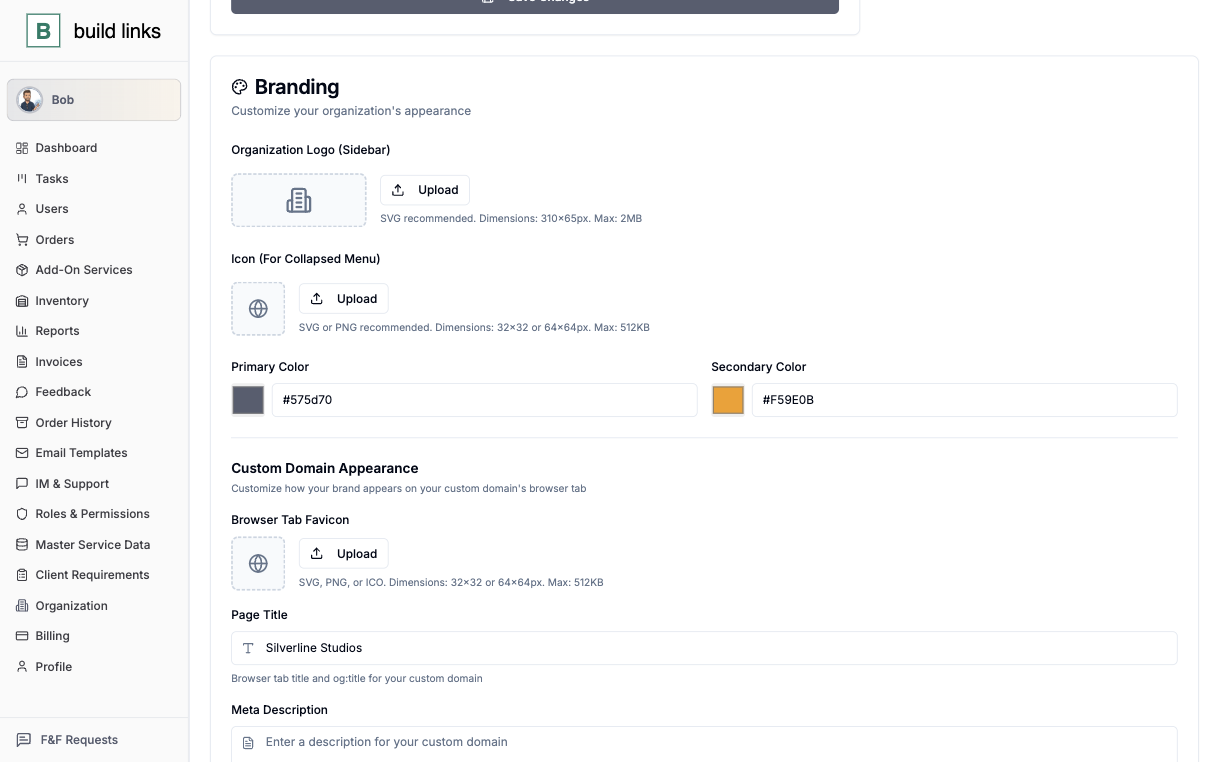
Logo, brand colors, and a custom domain, set once in Organization Settings and applied everywhere a Silverline Studios client looks - standard invoice due dates live in the same screen. A client logging in sees their own orders and invoices on that branded domain, with no BuildLinks name anywhere on the page.
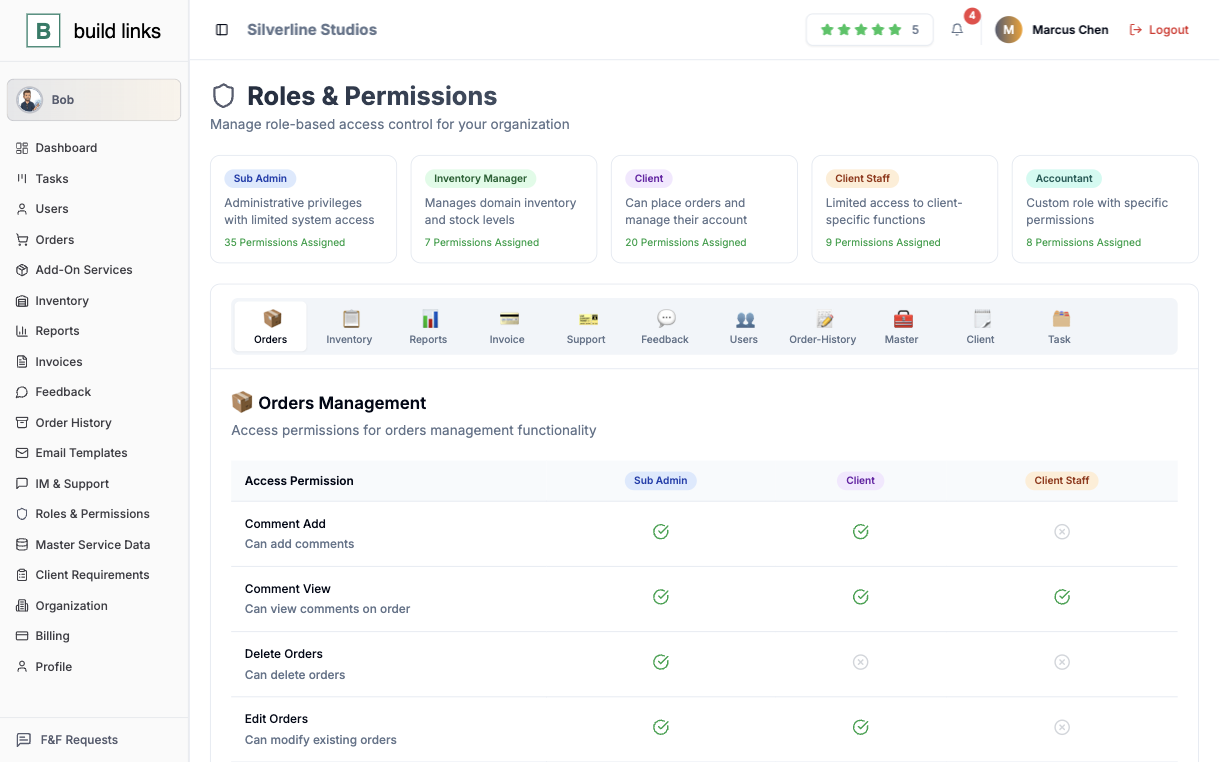
Six roles, one permission list
Super Admin, Sub Admin, Inventory Manager, Accountant, Client, Client Staff - each with its own scoped permissions, down to who's allowed to delete an order versus just comment on one. A Sub Admin only sees their own book of clients, and an Inventory Manager never sees a client's invoice at all.
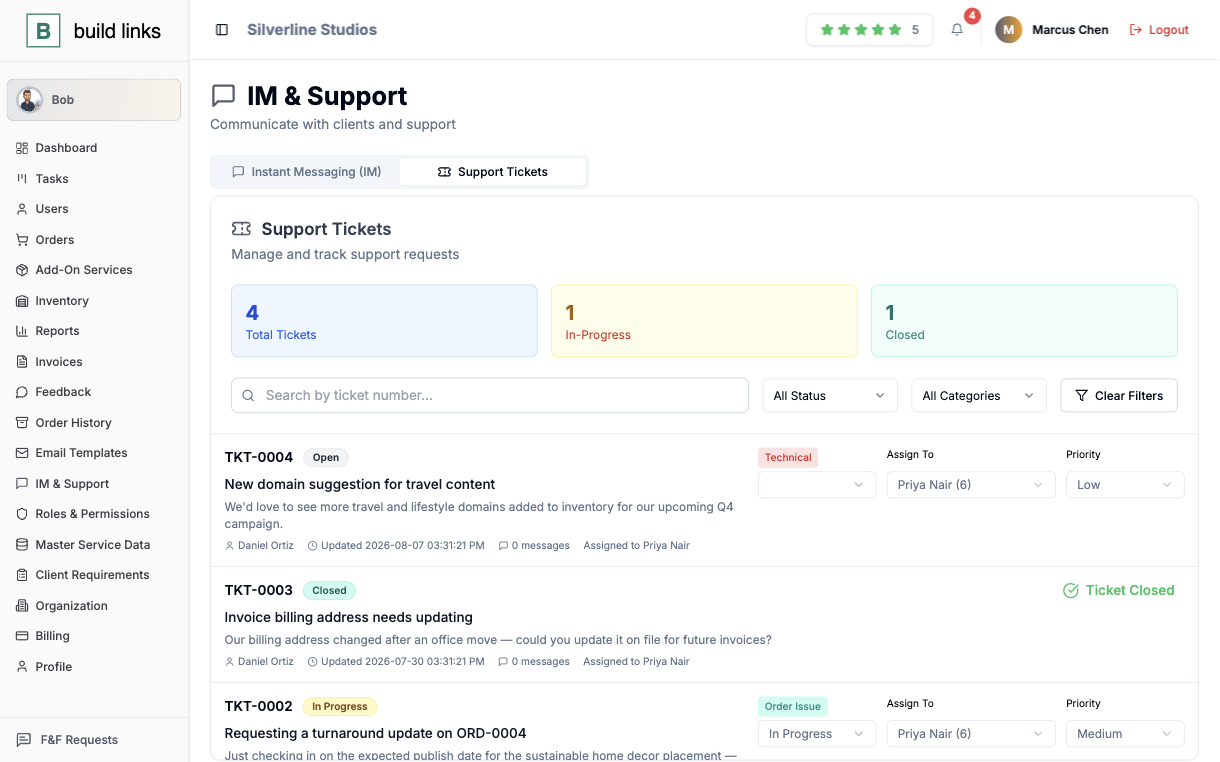
A ticket that lives with the order
A turnaround question or a billing update becomes a ticket attached to the account it's about - assigned, prioritized, and tracked from Open to Closed. Whoever it's assigned to sees it without hunting through a separate inbox, since it sits next to the order it concerns.
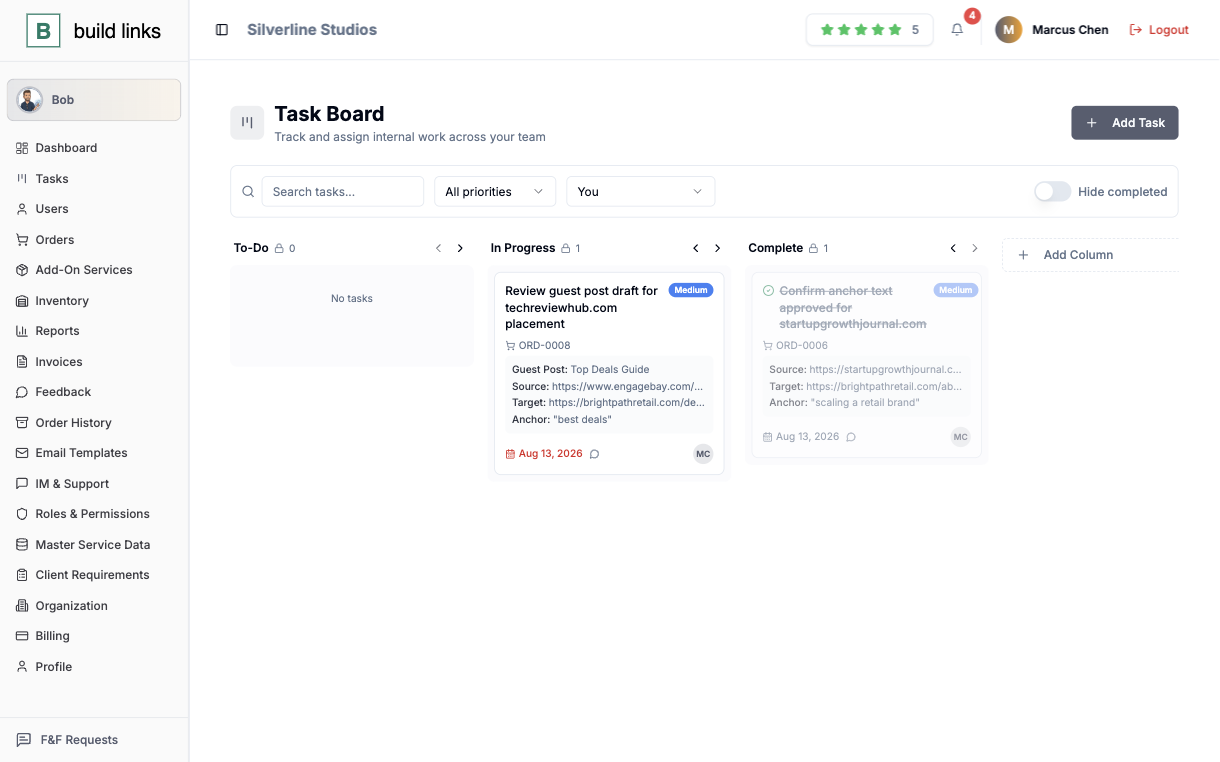
A kanban card tied to ORD-0008
The guest post draft for techreviewhub.com moves across To-Do, In Progress, and Complete, carrying its source, target, and anchor the whole way - comments support @mentions for pulling in a teammate. Tasks ship on every tier from Starter up, so it's not something Silverline Studios had to grow into.
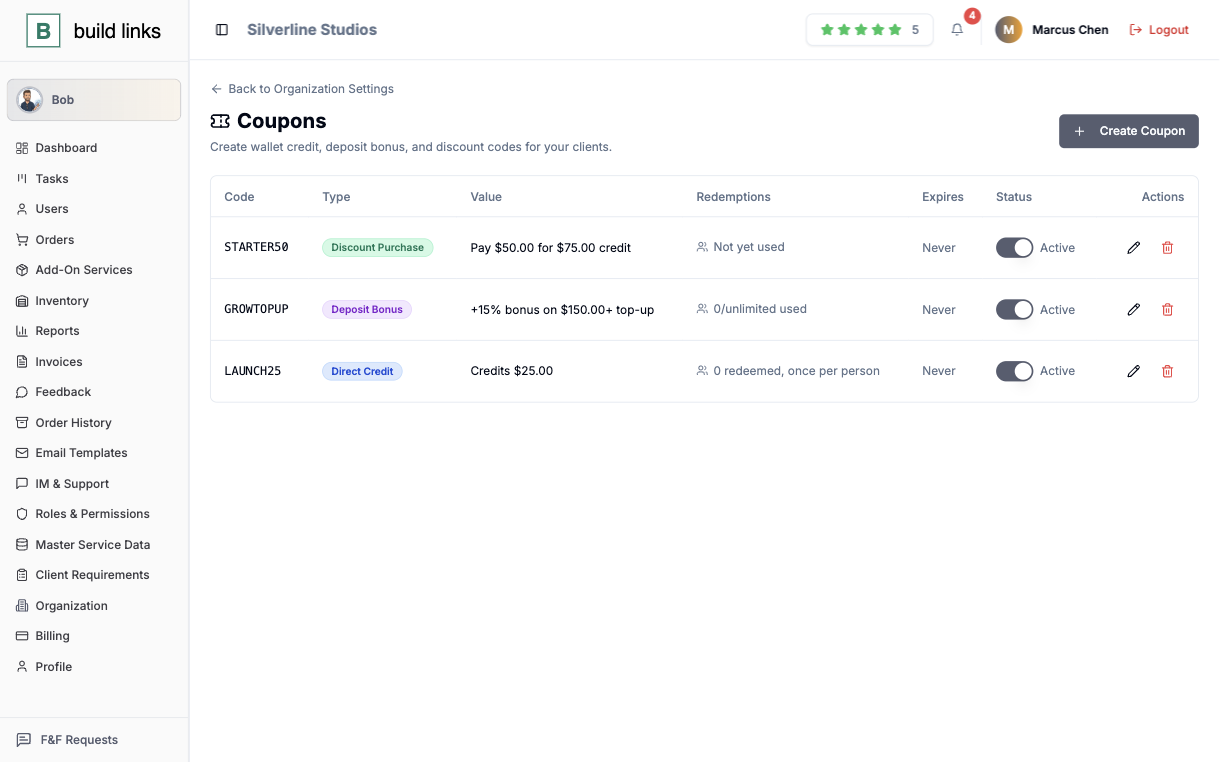
A wallet with no fixed company rate
A Direct Credit, a Deposit Bonus, or a Discount Purchase - amount, redemption limit, and expiry all set per coupon, redeemed straight from a client's own Wallet page. Once that balance lands, it pays an invoice outright - no bank transfer, no waiting for it to clear.
What it takes to run these steps yourself.
A free trial, no card
You start on your own inventory and clients, on the same dashboard the tour shows.
Most of it ships on Starter
Inventory, orders, invoicing, roles, support, tasks, and coupons ship on every plan. The custom domain in step four comes with Agency, at $249 a month.
One domain and one order
Step one needs a domain in the list and step two needs an order placed on it. The rest follows from those two.
Questions the tour usually raises.
A real account, followed end to end - the orders, invoices, and roles above are exactly what that agency's account looks like, not a staged mockup.
Yes - inventory, orders, invoicing, roles, support, tasks, and coupons are all included from Starter up. What a tier changes is volume limits; the feature set underneath stays the same.
That's what the free trial is for - your own inventory and clients, on the same dashboard shown above, no card required to start.
All six roles ship on every tier. See exactly how many of each seat a given plan includes.
Run this on your own account.
Same dashboard, your own inventory, your own clients.
Start free trial