The whole platform, grouped by what it's for.
Four groups, each opening with what it changes for you. Pick a part inside a group to see how it works.
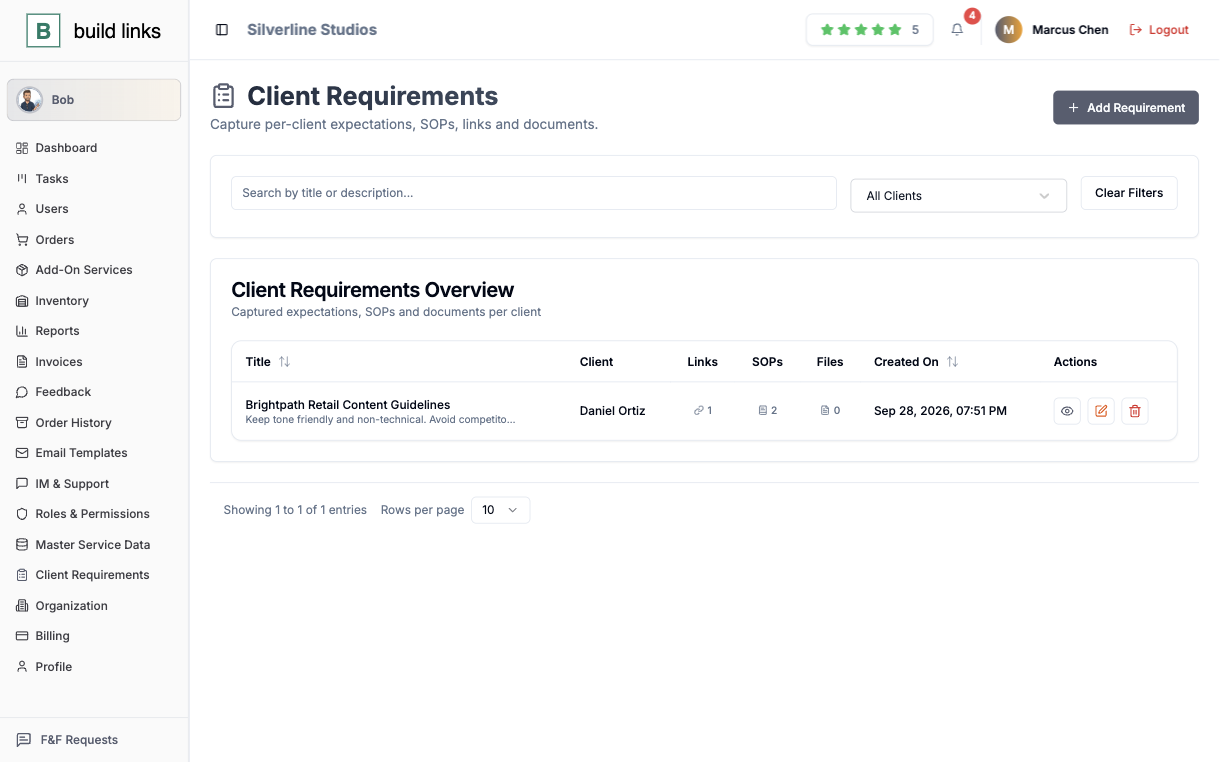
Everything between placing an order and getting paid.
You stop confirming things by hand. The order checks its own link, the price is already on the domain, and the numbers are ready when a client asks for them.
Completed means checked, not assumed
Pending, In Progress, Completed, Rejected - guest posts and niche edits get rechecked automatically the instant a link publishes, so the label on screen matches what's actually live.
- Automatic verification the moment a link goes live
- Target URL and anchor text locked once placed
- Full history retained on every order
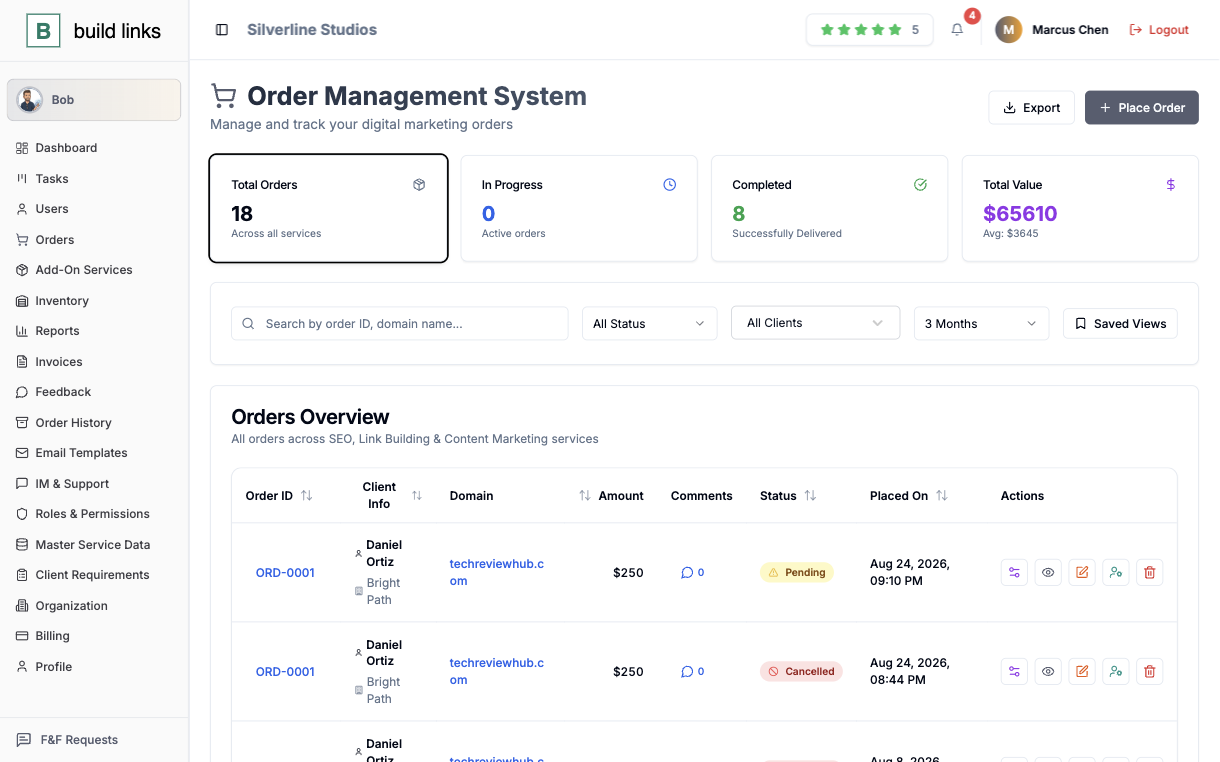
One list, priced your way
Filter the inventory by DA, DR, traffic, service type, turnaround, or country. Guest post and niche edit rates sit on the same listing, a new domain needs approval before anyone can quote it, and bulk changes go through CSV import and export rather than one row at a time.
- Filter by DA, DR, traffic, turnaround, and country
- New domains held for approval before they're quotable
- Bulk add or update pricing through CSV
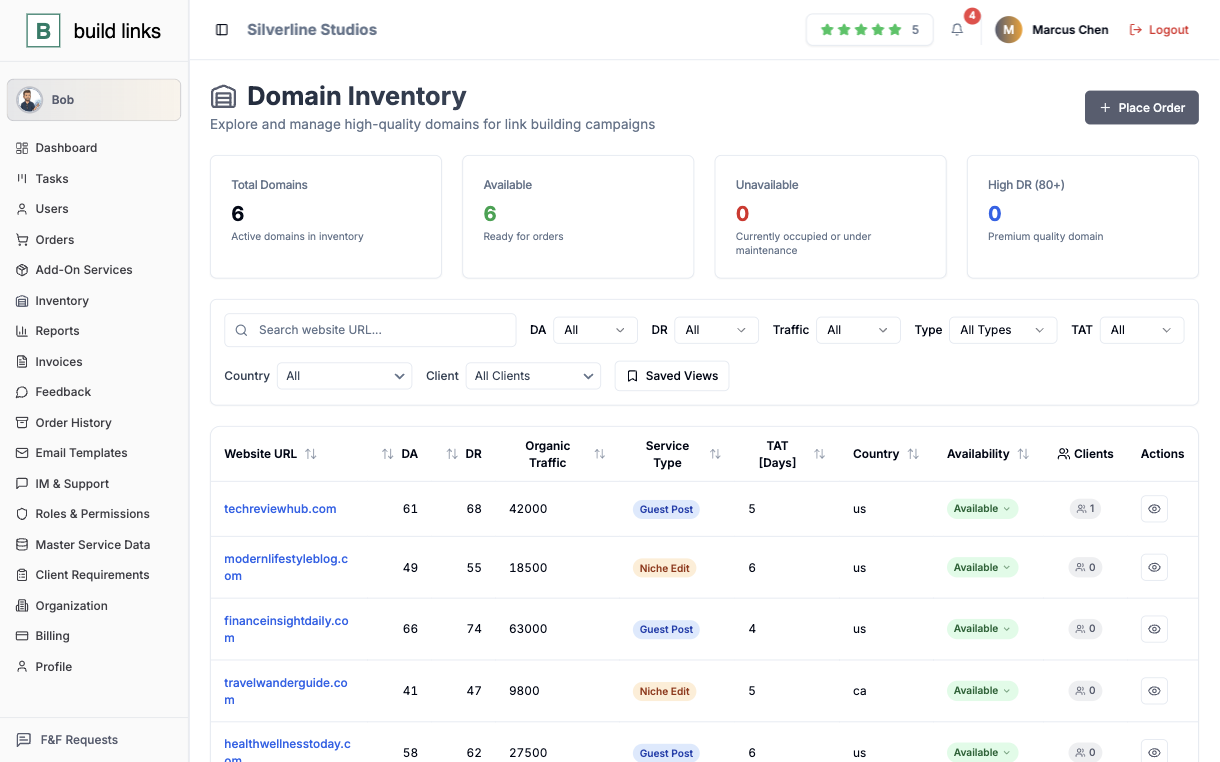
The dashboard, with the answer already in it
Total spend, average cost, average turnaround, a full status breakdown, and a guest-post-vs-niche-edit split, all scoped to whatever date range you pick and to what each role is allowed to see.
- Spend and turnaround averages for any date range
- Status breakdown across the whole order book
- Scoped automatically to each role's own view
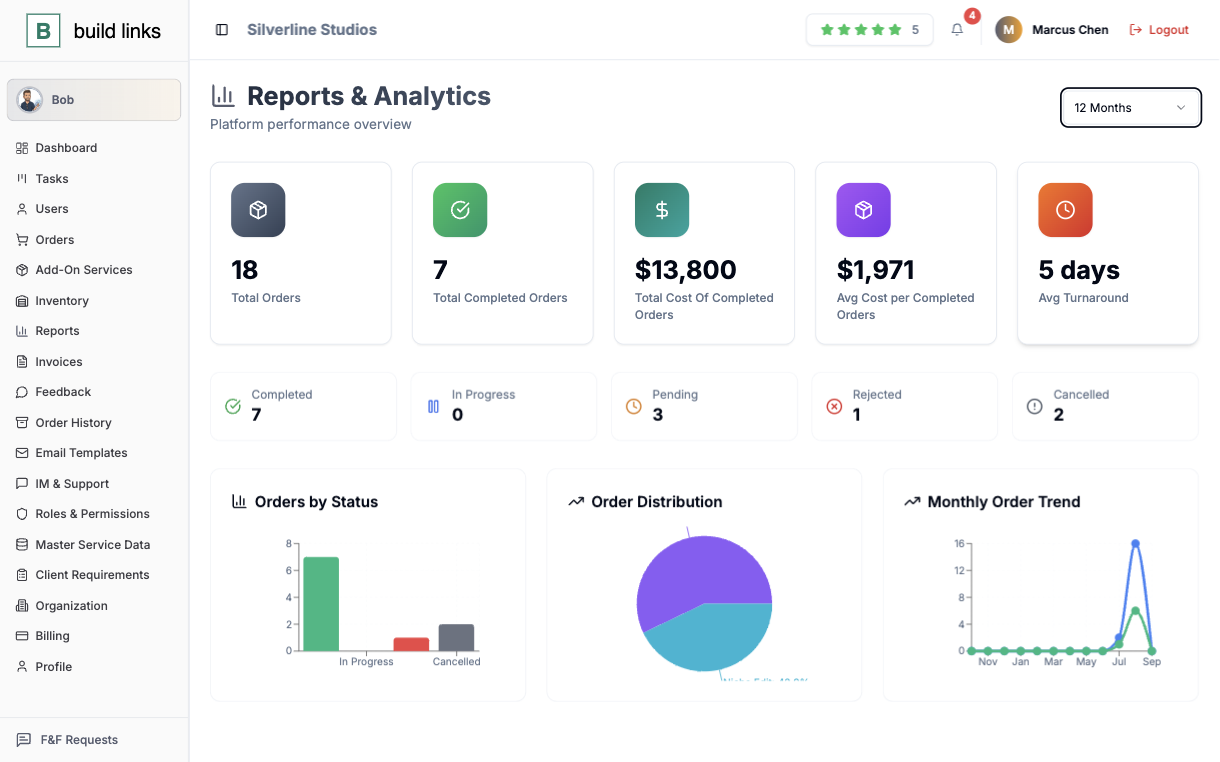
A brief that outlives whoever wrote it
One page per client holds what they're after, the links worth checking before pitching a domain, and the SOPs your team is supposed to follow on their orders, so a new hire reads the page instead of pinging around for context.
- Client preferences and target sites in one place
- Team SOPs attached permanently to the client account
- Visible to anyone who picks up that account next
Six roles, six different screens.
You can hand work to someone without handing them the whole account, and still see afterwards who did what.
Nobody sees more than their job
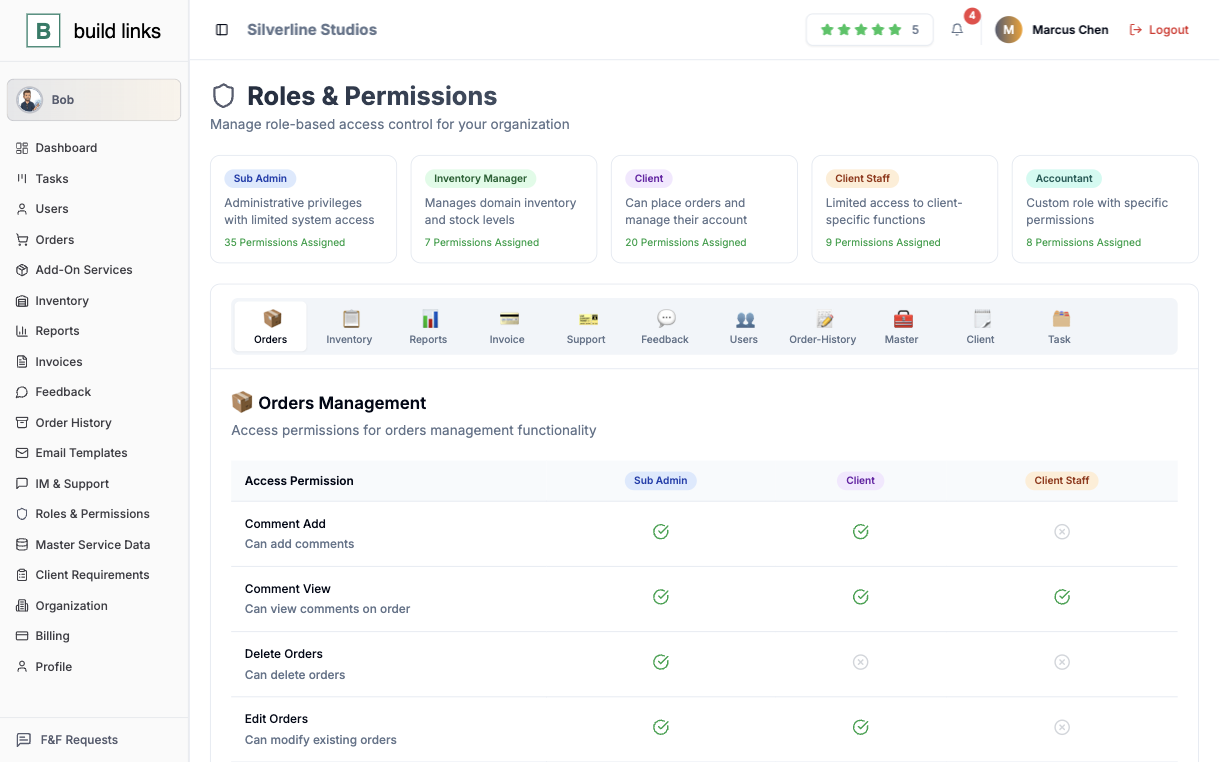
A Super Admin sees the whole org. A Sub Admin sees their own book of clients. An Inventory Manager sees domains and nothing past that. Six roles in total, each one scoped to exactly what that job needs and nothing it doesn't.
- Super Admin, Sub Admin, Inventory Manager, and more
- Client Staff logins for teams sitting on the client side
- Every role's view limited to its own scope by default
An answer for "who changed this?"
Every status flip, anchor edit, and new client gets a name and a timestamp attached to it. Bob's actions land in the same log, since it only ever acts inside whatever your role is already allowed to touch.
- Every edit attributed to the person who made it
- Bob's actions logged the same way a person's are
- A full trail to point to when a client asks what happened
A dashboard that's yours in every way that shows
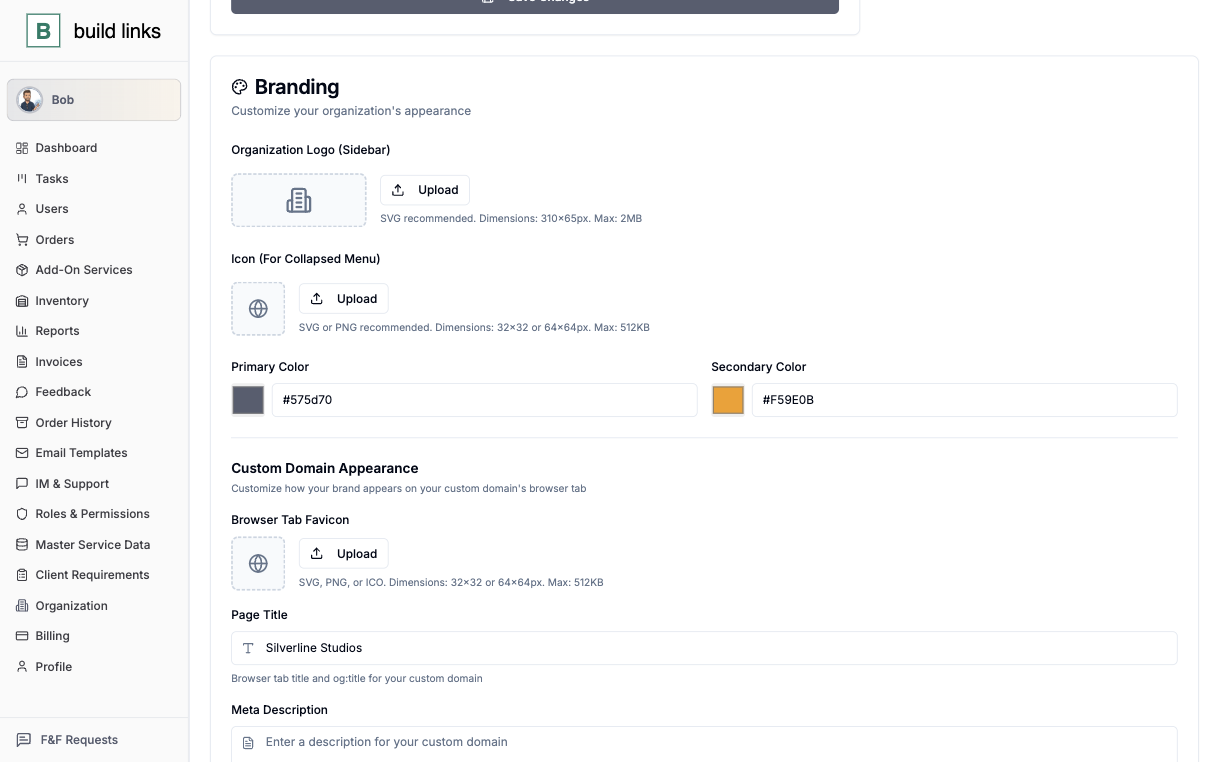
A custom domain per client, your logo and colors across the dashboard, and every system email going out under your name. Nothing on an invoice or a report points back to BuildLinks.
- Custom domain and email, your brand end to end
- Clients see the price you set, never the vendor cost
- Sub Admins run their own book of clients independently
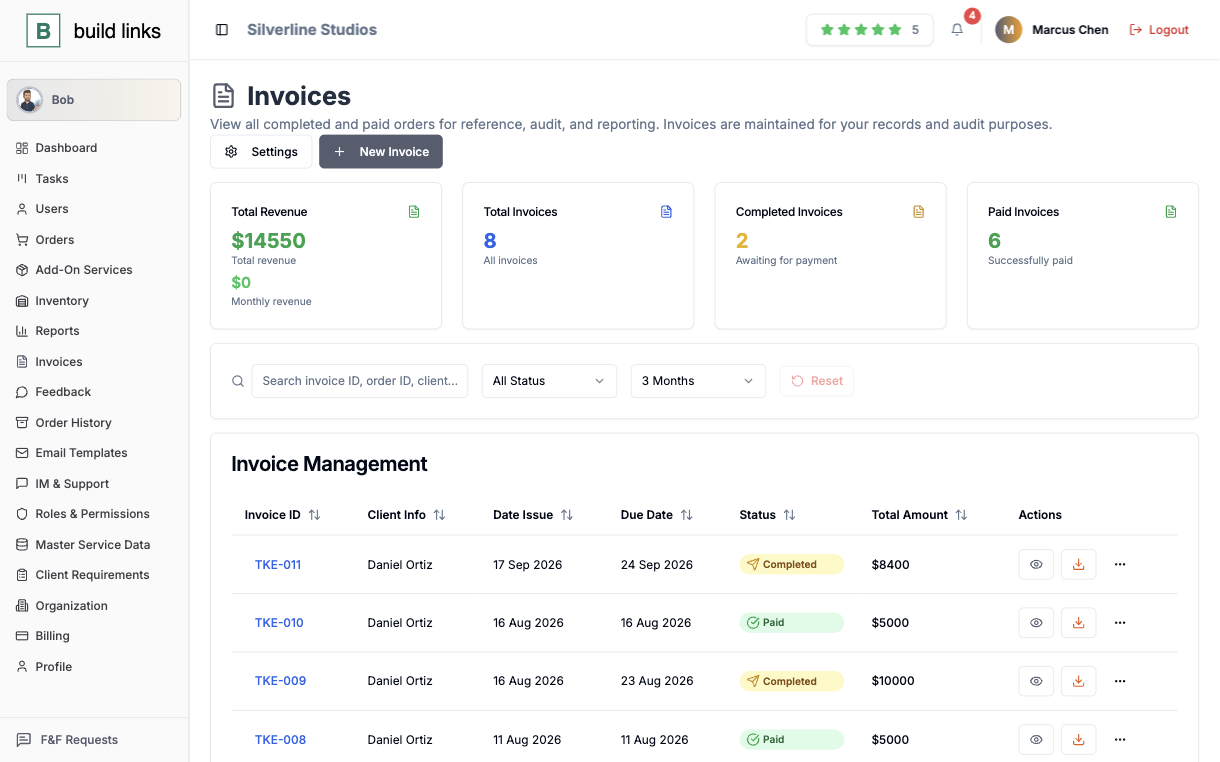
An invoice that writes itself, and a wallet that pays it.
Billing stops being a month-end job. The invoice exists when the order finishes, and the client can pay it from a balance.
Nothing left to type
A completed order becomes an invoice on its own, due-date rules already applied from what you set up for that client once, ready to download as a branded PDF the moment it's generated.
- Generated automatically the moment an order completes
- Due-date rules set once per client, applied every time
- Downloadable PDF invoices, branded to you
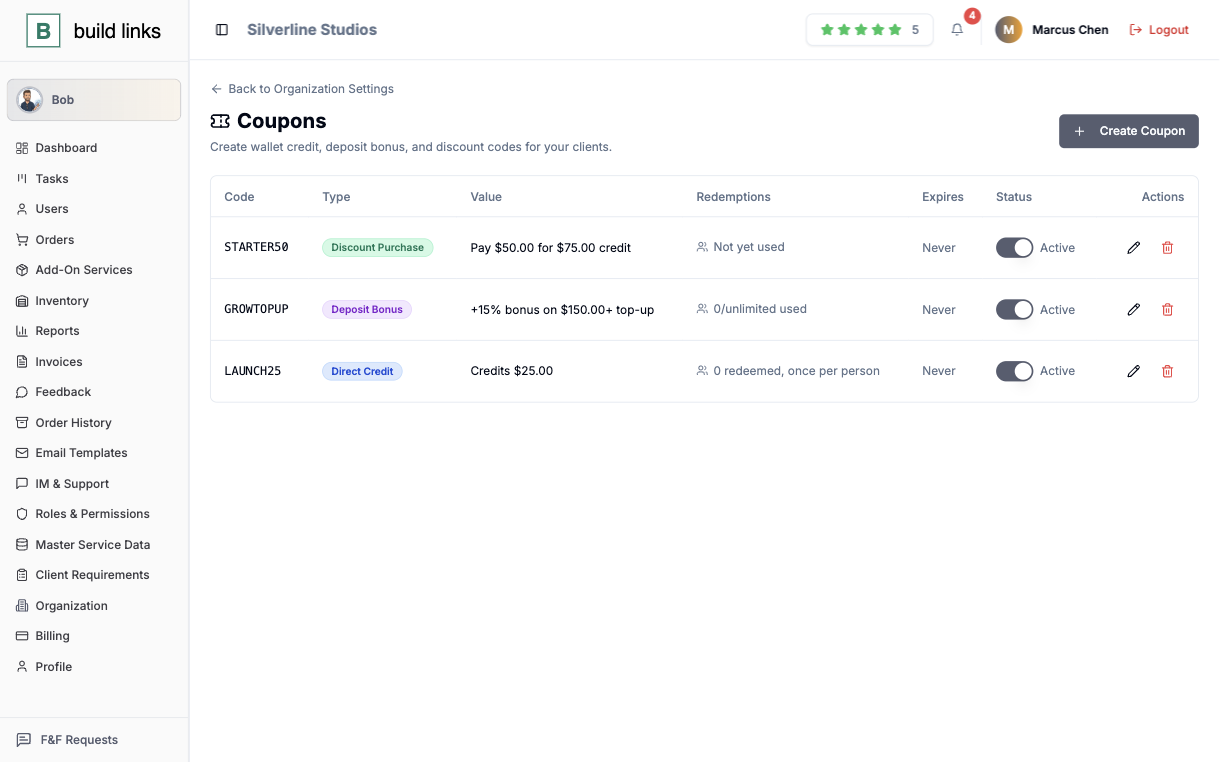
Three ways to fund a balance
A Direct Credit, a Deposit Bonus, or a Discount Purchase - set the redemption rules once for each, and clients pay straight from their own Wallet page without a separate checkout step.
- Three coupon types, each with its own redemption rules
- Clients top up and pay from one Wallet page
- Balances carry over, nothing expires mid-order
Extra work, still one invoice
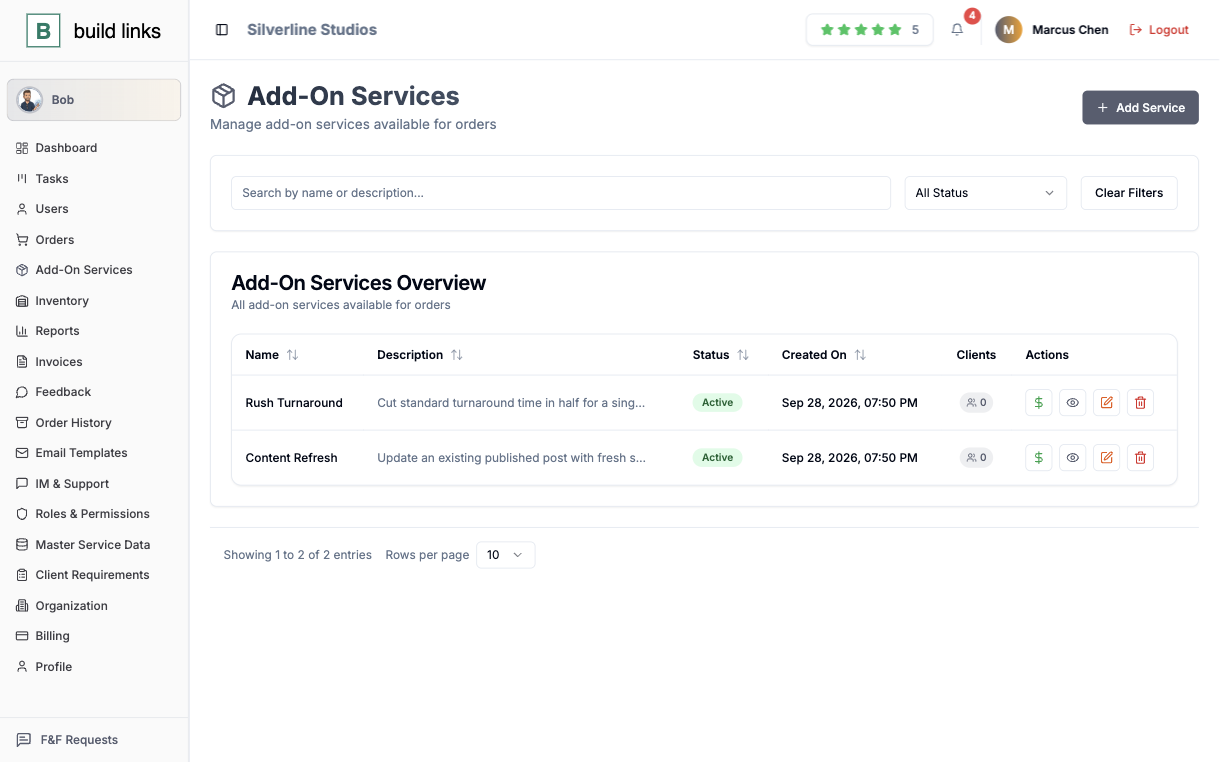
Keep a flat-priced catalog of add-on services, override the price for a single client without touching what everyone else pays, and switch one off without losing the history attached to past orders.
- A flat-priced catalog, editable at any time
- Per-client price overrides that don't affect anyone else
- Past orders keep their record after an add-on is retired
The work behind the order, and the people asking about it.
A question about an order gets answered where the order is, by the person who owns it.
A board that already knows the order
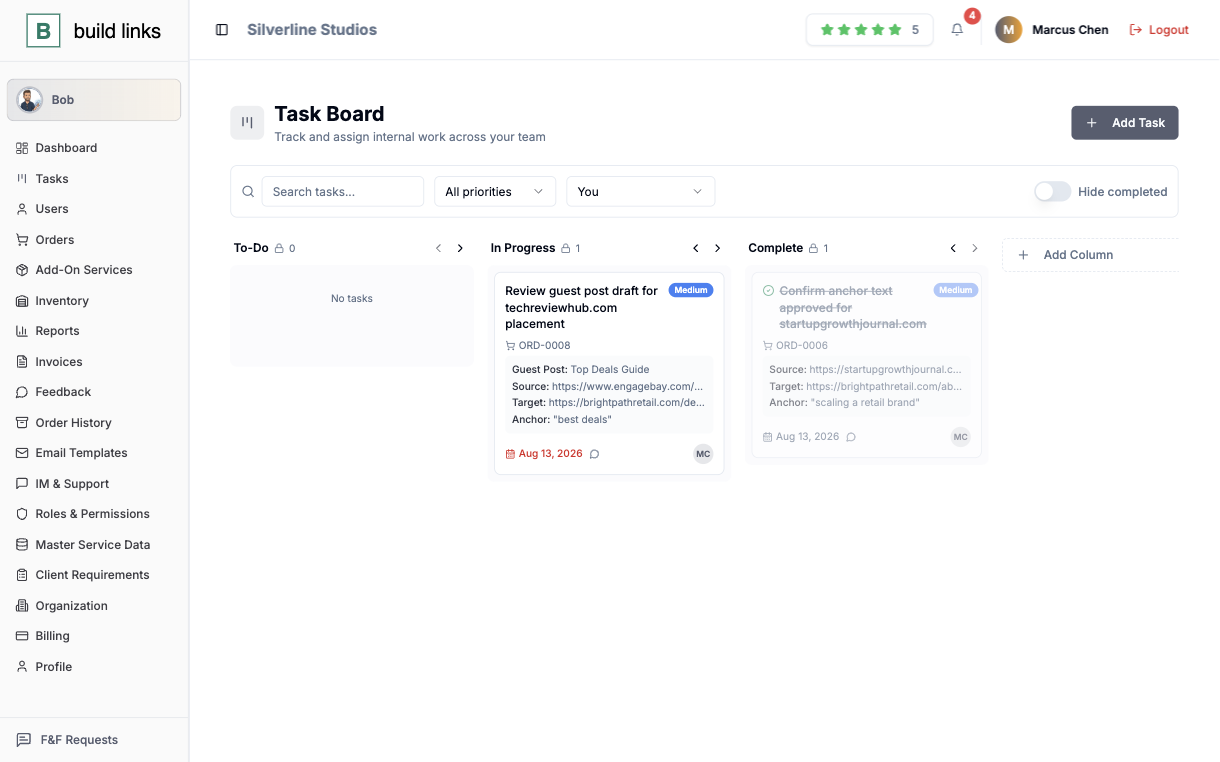
Drag-and-drop kanban columns, color-coded by priority. A card tied to an order carries that order's own anchor text and target URL along with it, so nobody switches tabs to go find them.
- Kanban columns with drag-and-drop cards
- Cards linked to an order inherit its anchor and URL
- Color-coded priority at a glance
Messages and tickets, next to the order
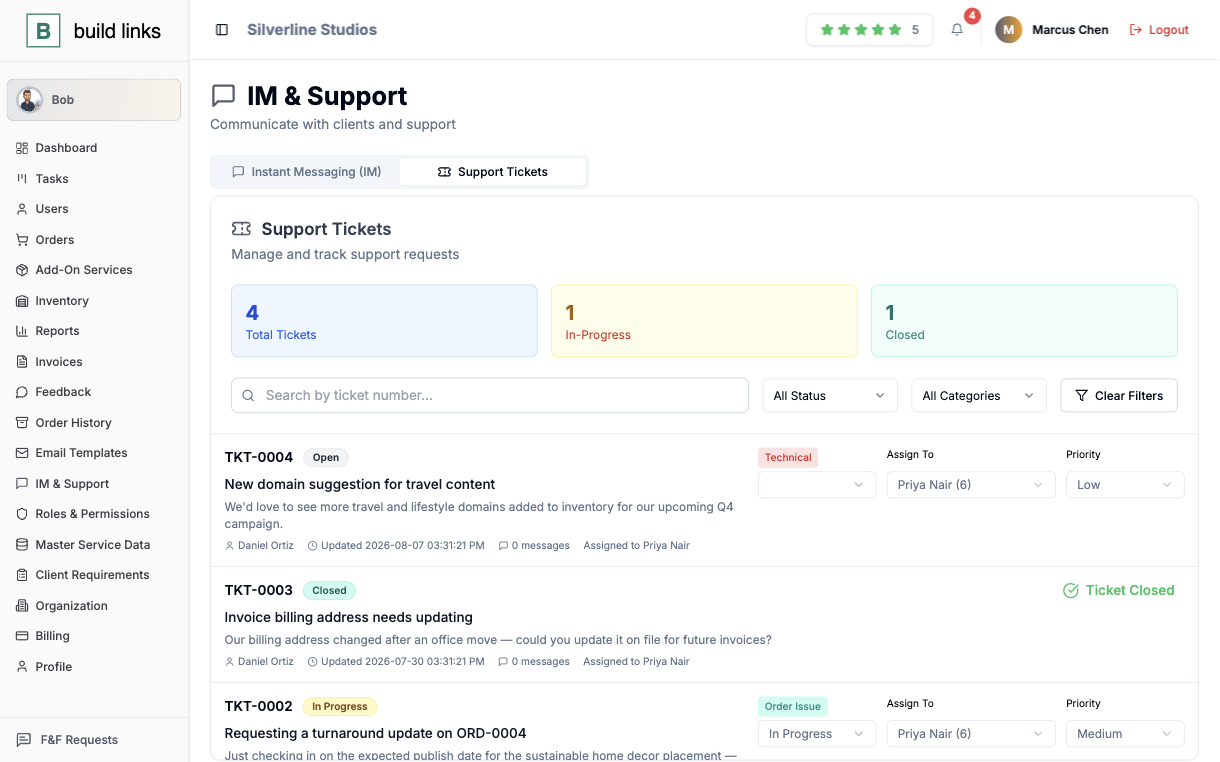
Direct messages and support tickets both sit next to the order they're about, assigned to whoever owns it, prioritized, and tracked through to Closed rather than lost in a separate inbox.
- Direct messages tied to the order they concern
- Support tickets assigned, prioritized, and tracked
- Nothing sits in a separate, disconnected inbox
A real name, with a direct line to them
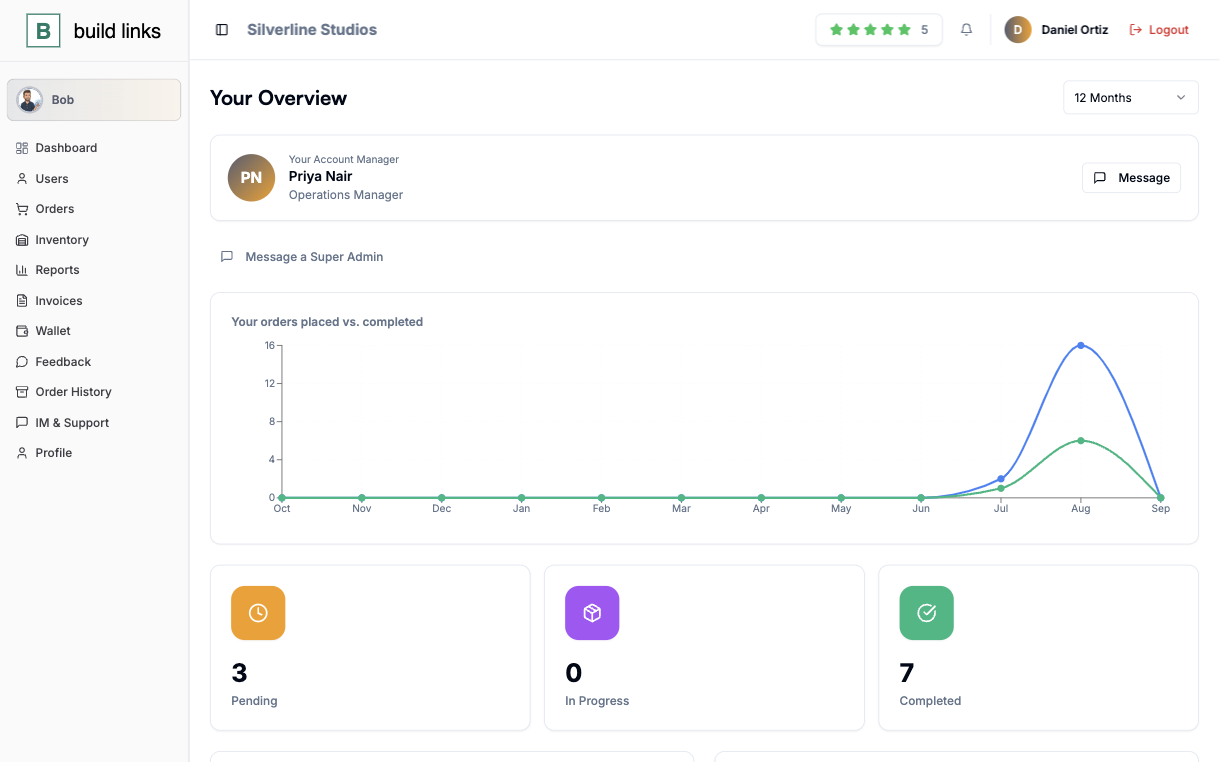
Every client dashboard shows their actual Account Manager - name, title, and photo - with a button straight to that person, or to a Super Admin when the account manager isn't around.
- A named Account Manager on every client dashboard
- Direct contact button, no shared inbox in the way
- Falls back to a Super Admin automatically
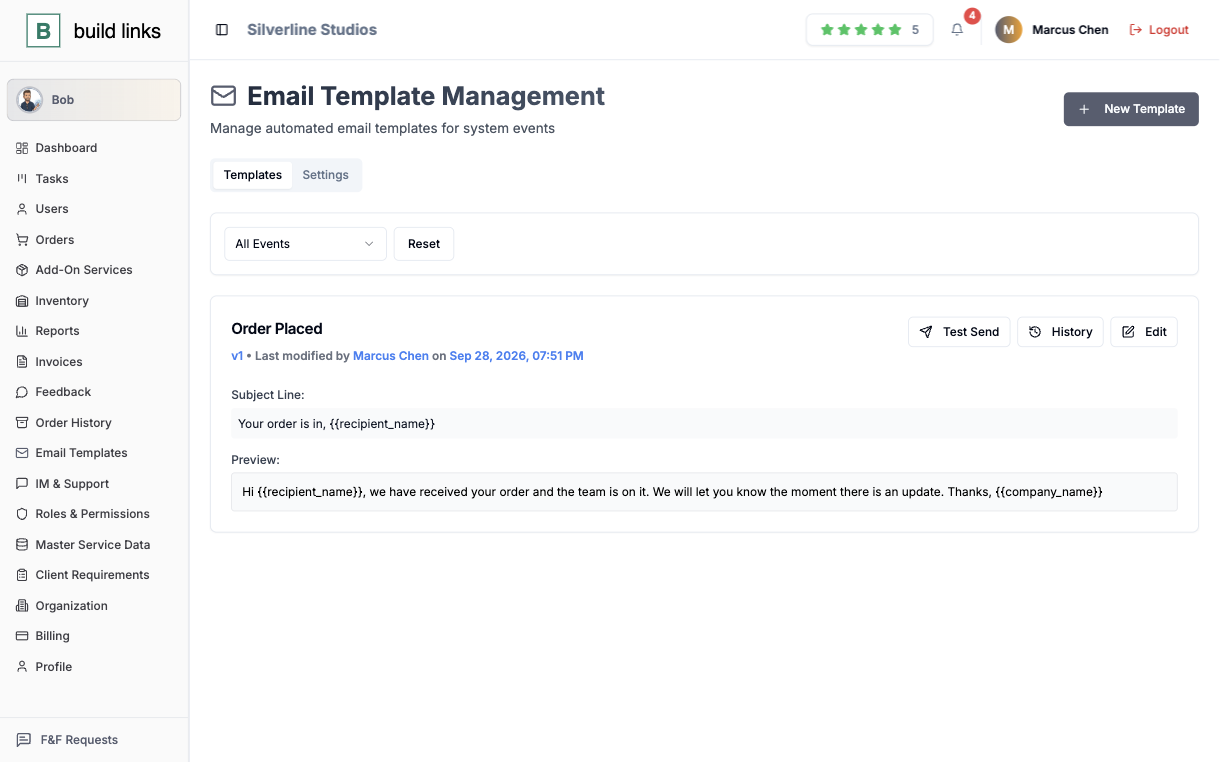
Every system email, written once
Twelve-plus events, from an invoice going out to a password reset, each with its own editable template and placeholder fields. Drafts stay separate from what's live, so a rewrite in progress never reaches a client early.
- Twelve-plus events, each with its own template
- Placeholder fields fill in the real order or client details
- Draft and live versions kept separate
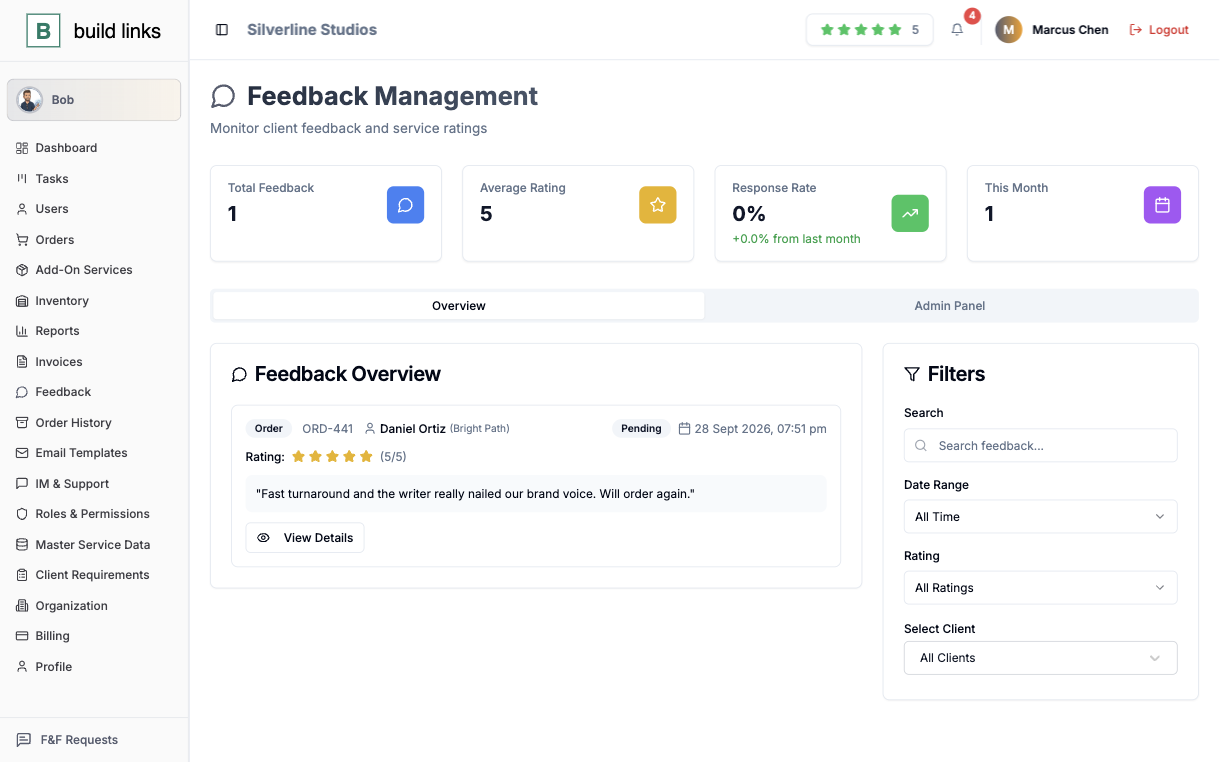
A rating that gets a response
One to five stars, collected monthly or per order, and every submission gets tagged Addressed, Improvement Needed, or Escalated once your team actually replies to it.
- One-to-five star ratings, monthly or per order
- Every rating tagged once your team responds
- A record of what was raised and what was done about it
Ask it, and it does the thing
Bob places an order, checks a status, or moves a due date on request, working inside whatever your role is already allowed to touch - and it stops to confirm first if the action can't be undone.
Mechanics people ask about once they're this deep in.
The questions specific to how these pieces actually behave.
It sits in the inventory but can't be quoted yet - a domain goes through approval first, so a bad addition never slips into a client-facing quote by accident.
Yes - a Direct Credit, a Deposit Bonus, and a Discount Purchase each carry their own redemption rules, set once. A client can use any of them straight from their own Wallet page, no separate checkout step.
Their dashboard falls back to a Super Admin automatically, so there's always a direct contact button showing, even when the named Account Manager is out.
Twelve-plus, covering everything from an invoice going out to a password reset. Each has its own editable template, and a draft you're still working on stays separate from what's live.