The tooling of an agency, run by one person
Your own inventory, an order pipeline that tracks itself, and invoicing that doesn't need a bookkeeper - all on a single seat.
No credit card to start. Cancel anytime.
What you stop doing after hours.
Six jobs a solo link builder does because there is nobody to hand them to, and what takes each one over.
Refreshing a vendor's inbox to confirm a link
Rechecked the moment it publishesA guest post or niche edit is verified live before the order is marked Completed.
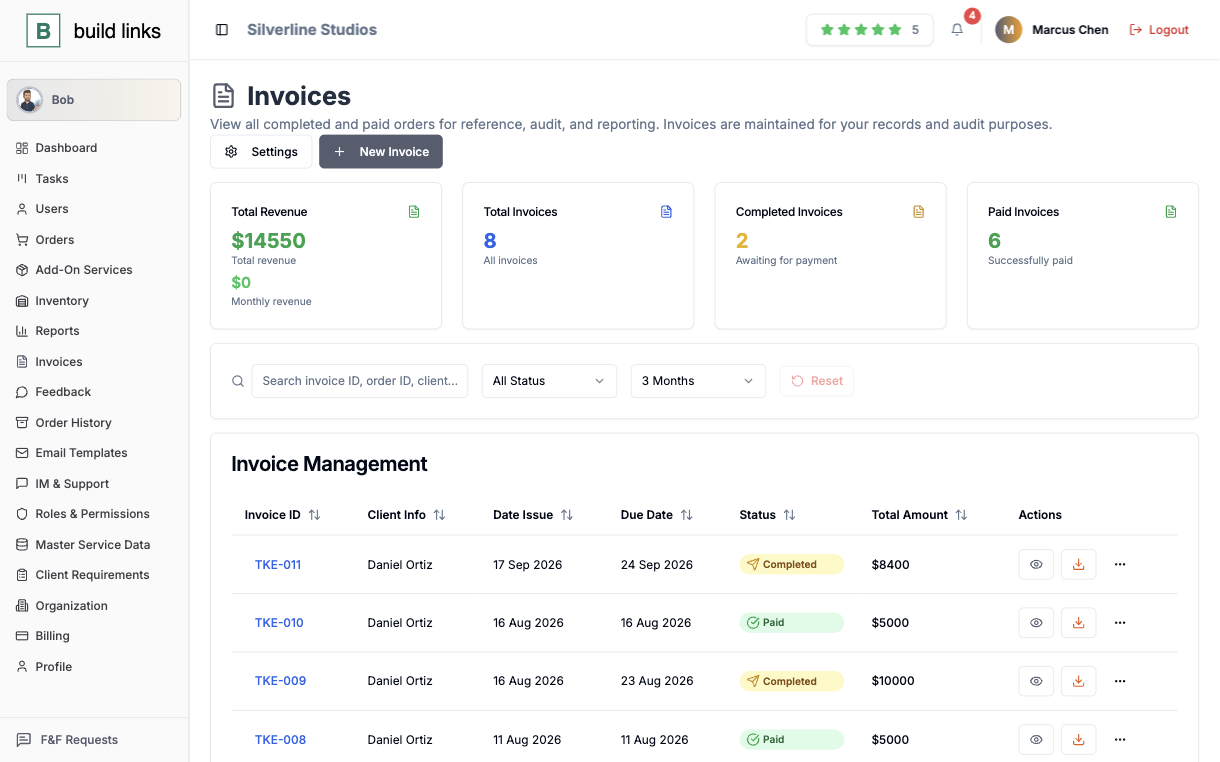
Writing invoices at the end of the month
Built from the completed orderLine items, price, and due date are pulled from the work you did.
Waiting on a wire transfer
Settled from the client's walletA funded balance pays the invoice the moment the order is done.
Rebuilding a quote from a spreadsheet tab
Quoted from the saved domainRating, traffic, turnaround, and your price for that client are already recorded.
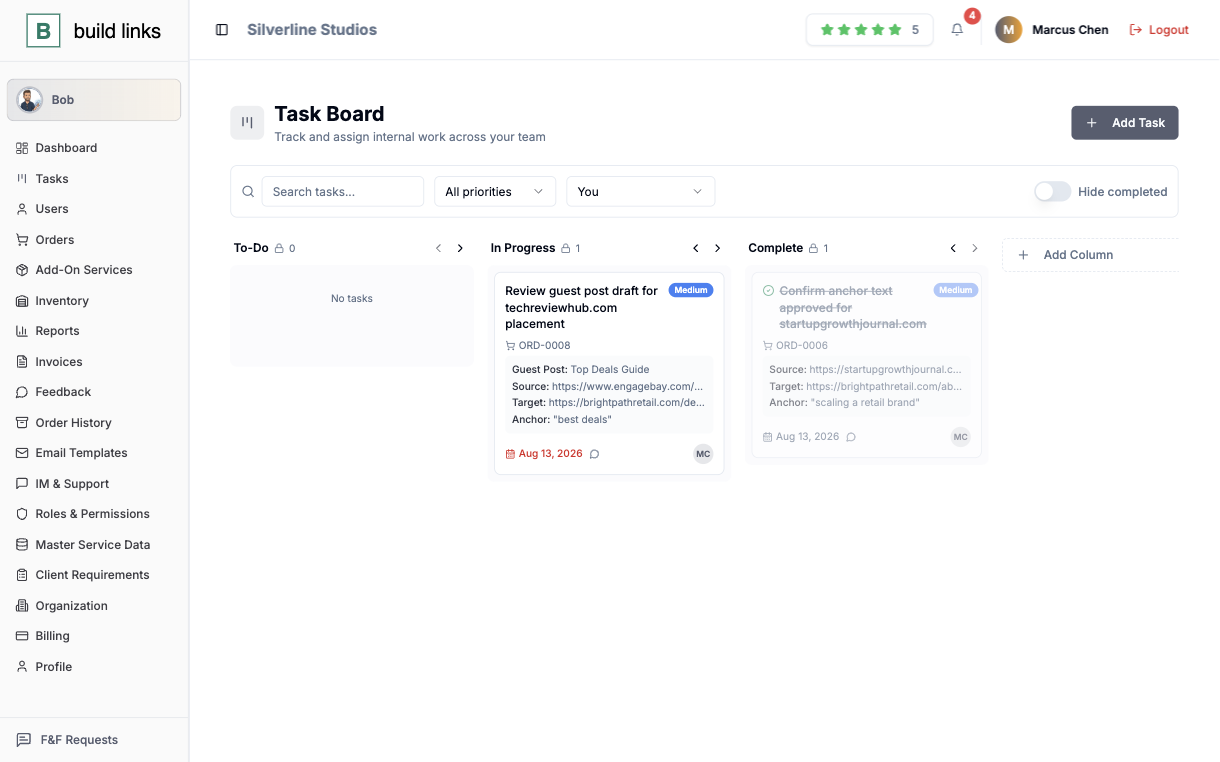
Carrying the to-do list in your head
A card for each jobEvery task card holds the anchor text you agreed to.
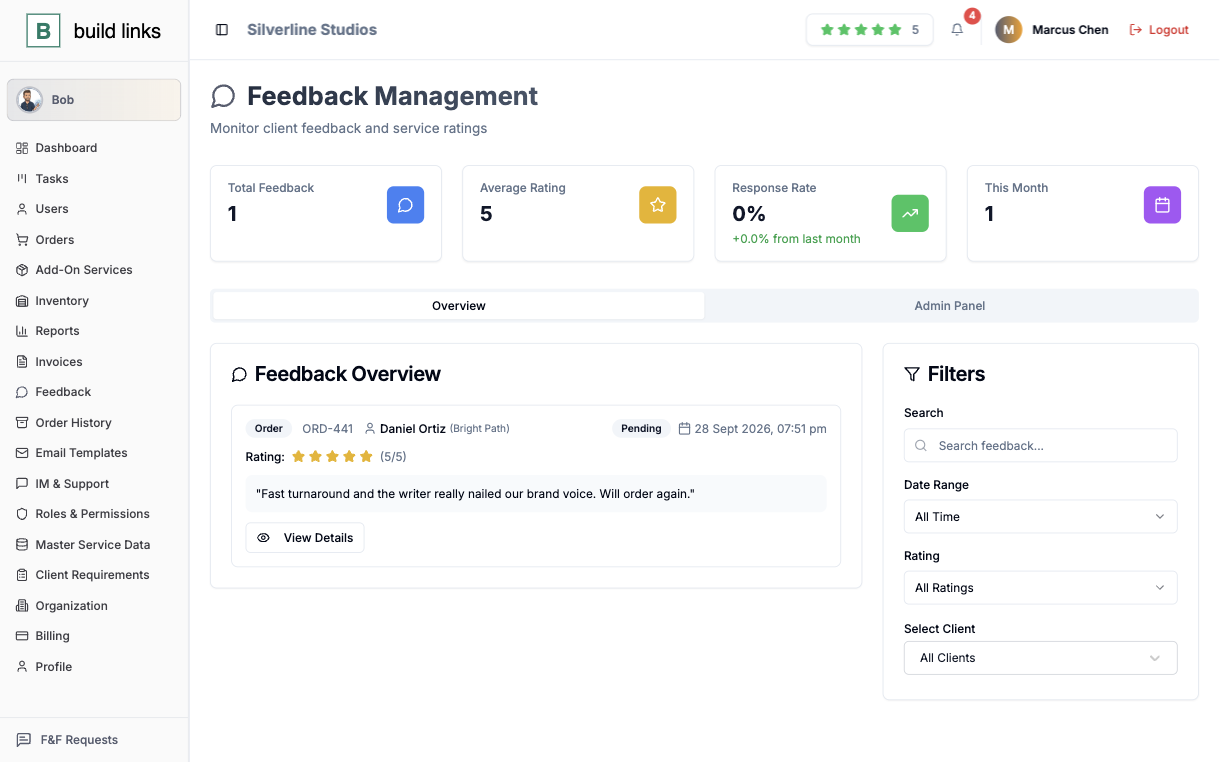
Hunting for proof of past work before a pitch
Ratings and comments on recordTagged and timestamped feedback on your own orders.
Three things you open every working day.
Pick one to see what it does.
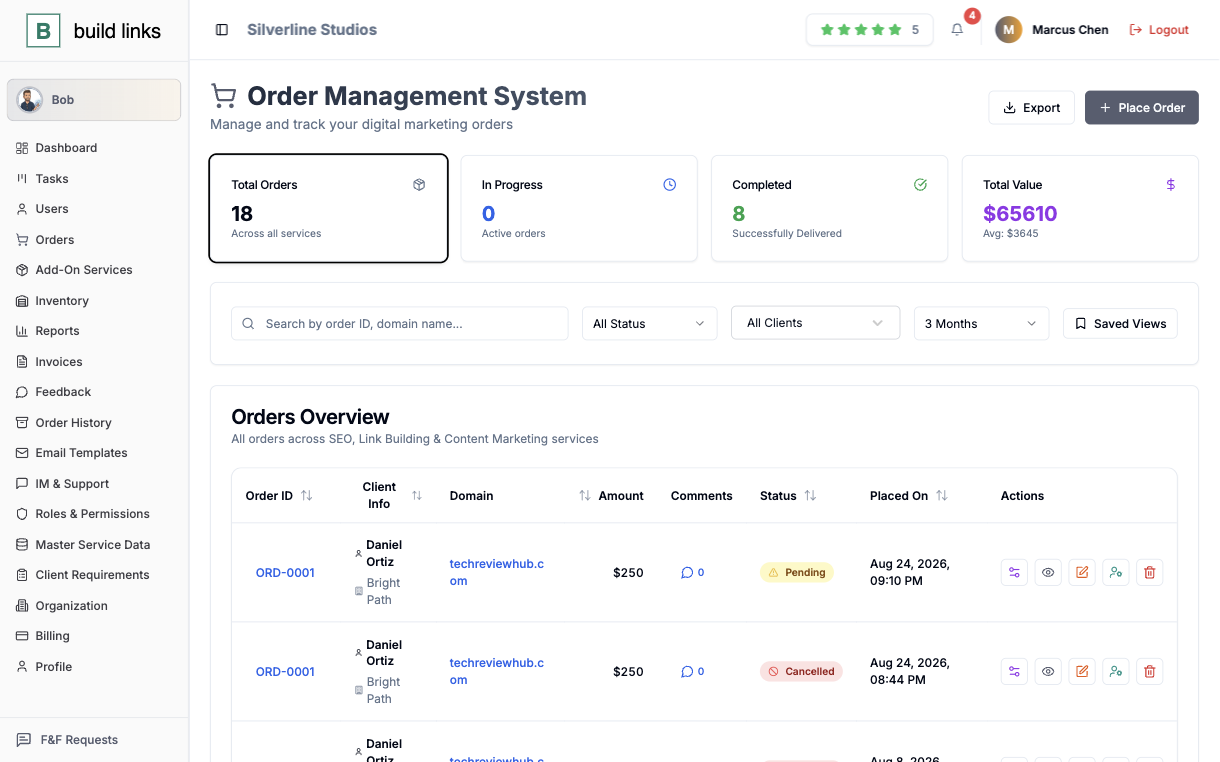
Know what's live without emailing a vendor
An order carries its real state, Pending, In Progress, Completed, Rejected, and a guest post or niche edit gets rechecked automatically the moment it publishes. You're not the one refreshing a vendor's inbox to confirm a link is actually there.
- Status reflects what actually happened on the order
- Link verification runs the instant a placement goes live
- A full history kept on every order, from quote to close
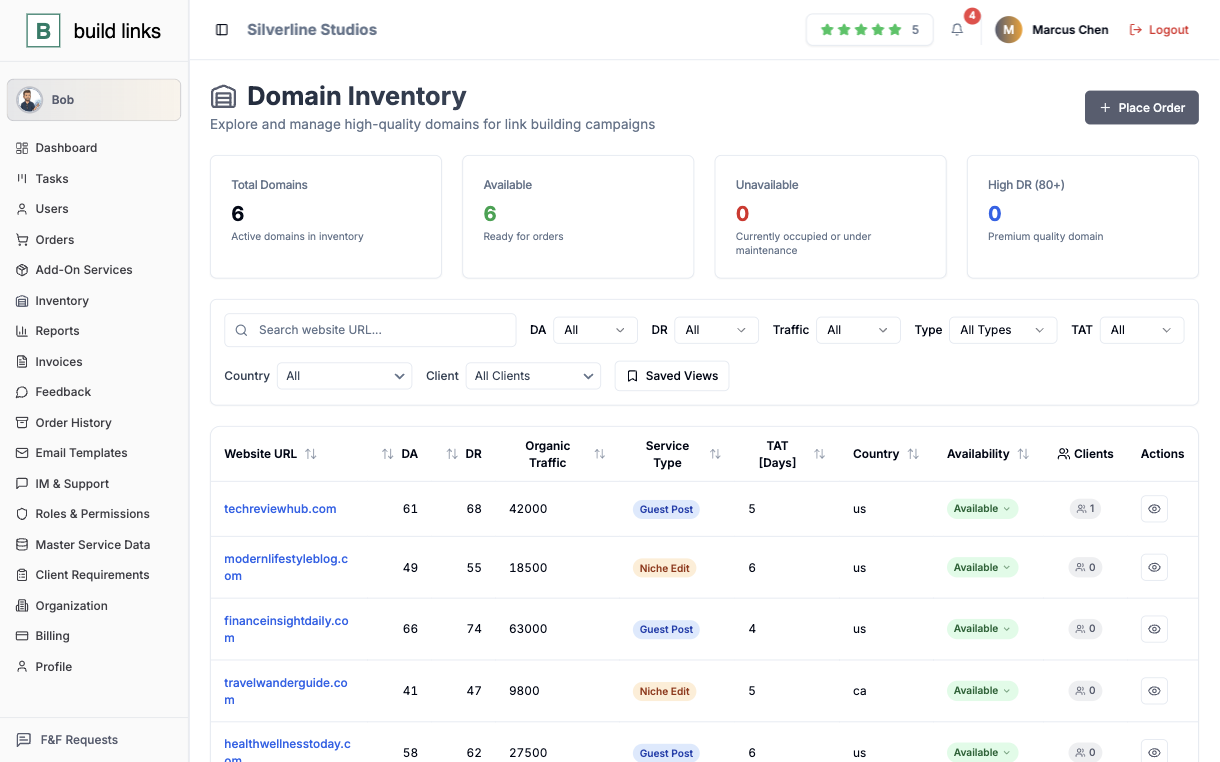
A domain list that's actually yours to keep
Every site you place on goes into one list, rating, traffic, your own price for that client, and how long it really takes, instead of a spreadsheet tab you rebuild every time a vendor changes a rate.
- Domain rating, traffic, and turnaround saved once per site
- Your own price per client, saved once instead of retyped
- Filter by service type before you ever quote a job
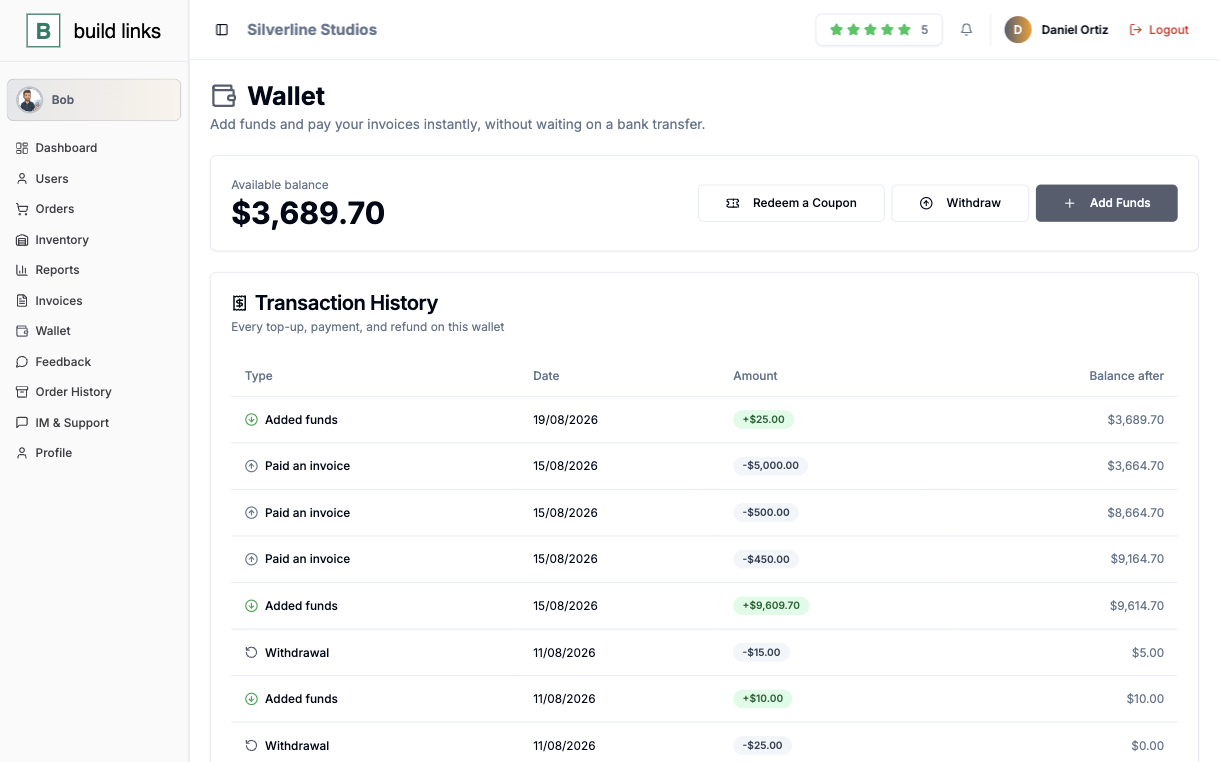
Paid before the work even starts
Have a client fund a balance up front, or issue them a coupon for it, a direct credit, a deposit bonus, or a discount you build yourself. A completed order settles straight out of that balance the moment it's done, with no wire transfer to wait on.
- A wallet per client relationship, funded ahead of time
- Invoices paid instantly from the balance
- You set the top-up amount and the redemption rules
One person behind it. A full service in front of the client.
Your clients get their own login and their own paperwork. None of it depends on you being at your desk.
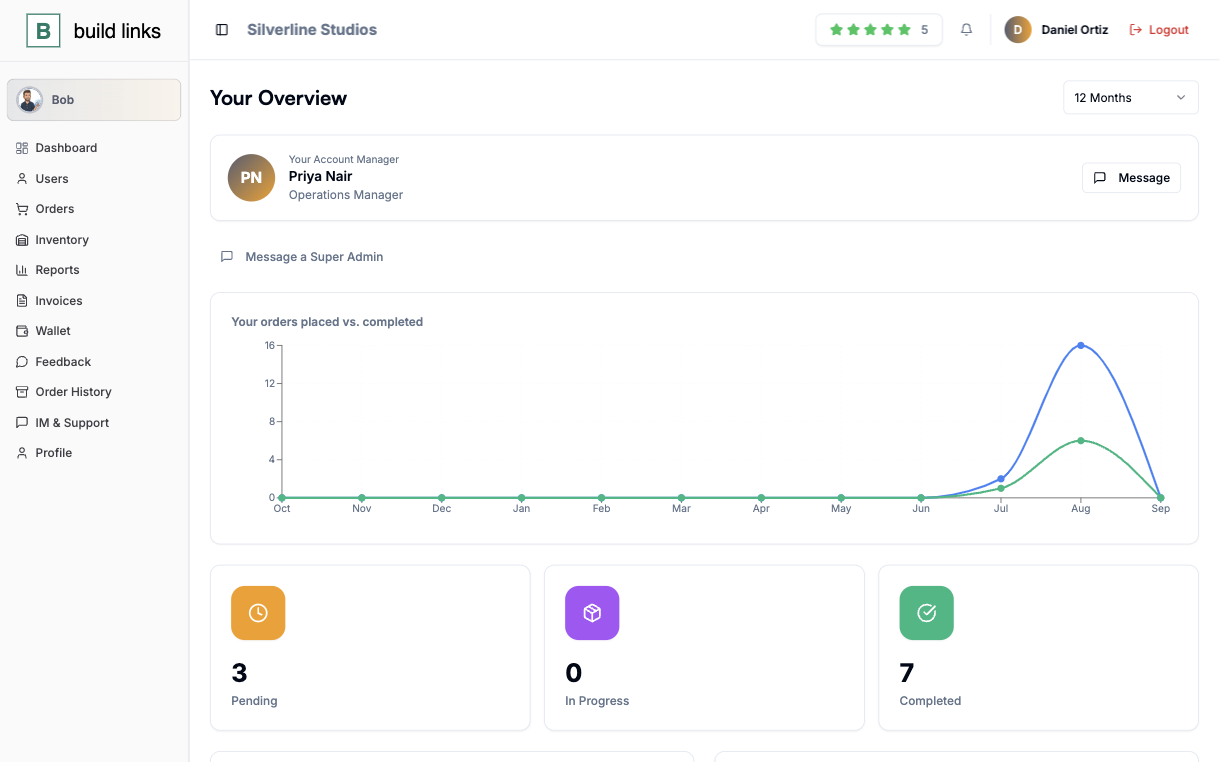
A login for each client
They open their own orders and invoices without writing to you first.
Invoices that look finished
Line items, price, and a due date, generated the moment the order completes.
Status on the order itself
Pending, In Progress, Completed, or Rejected, with the link rechecked when it publishes.
A balance to pay from
A funded wallet settles a completed order with no transfer to wait on.
The rest of the day-to-day.
Getting paid isn't a second job
An invoice builds itself from a completed order, with line items, price, and due date, so chasing payment doesn't eat your afternoon.
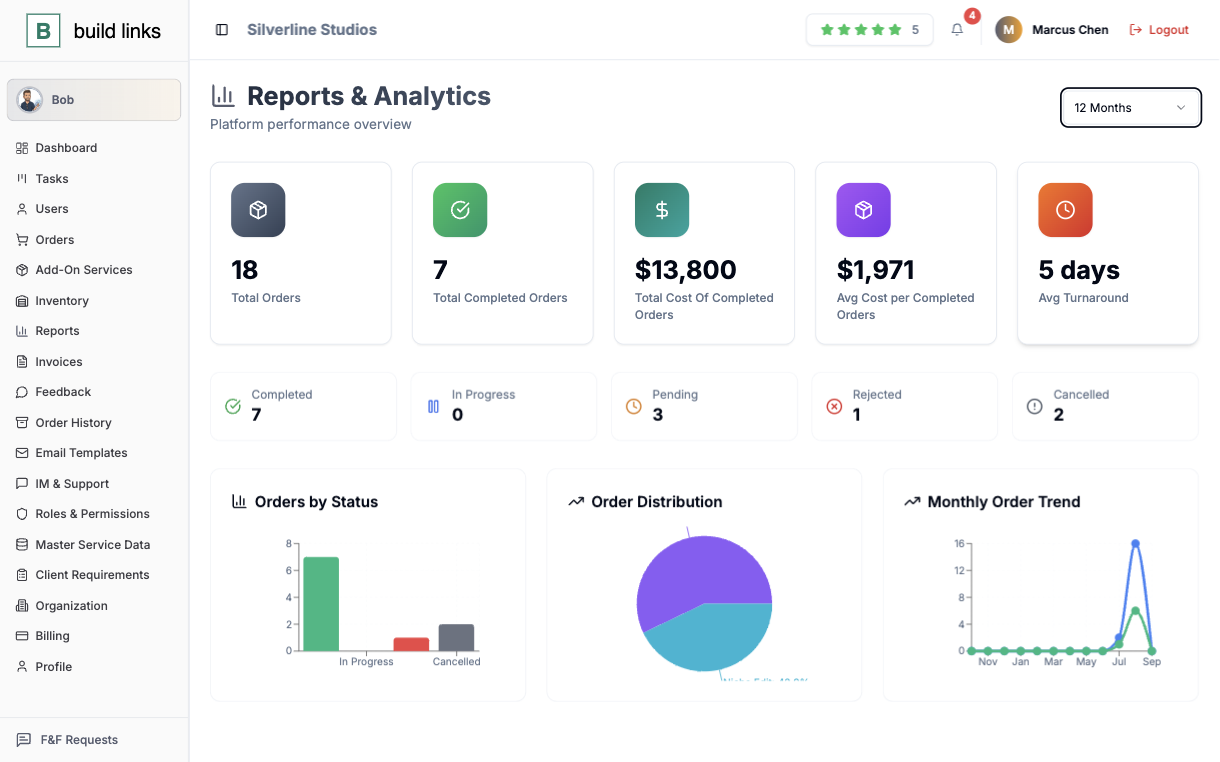
A number ready before a client asks
Total spend, completed orders, and average turnaround for any window you pick, with no separate spreadsheet.
A checklist that knows the order
Self-assigned by default, with columns set up however you actually work, and every card carrying the anchor text you agreed to.
A record you can actually point to
Star ratings and comments on your own work, tagged and timestamped, ready the next time you pitch a similar client.
One order, start to finish, on your own.
Four steps an order takes. You touch the first one.
You quote from what's already saved
Rating, traffic, turnaround, and your own price for that client are already saved on the domain, so there is no number to rebuild from a spreadsheet tab.
The order tracks itself
Pending becomes In Progress becomes Completed on its own, rechecked the moment the link actually publishes.
You're paid before you ask
If the client's wallet is funded, the completed order settles straight out of it, with no wire transfer to wait on.
The invoice is already done
Line items, price, and due date get pulled from the order the moment it completes, so there's nothing left to write by hand.
Room for more clients before you need a hire.
Start on the smallest plan. Move up when the work outgrows it.
On your own
Your orders, your clients, and your inventory, without a spreadsheet.
- 200 orders and 200 invoices a month
- 1,000 domains in your inventory
- Up to 100 clients
When you bring someone in
Team seats with role-based access, and your own brand on the client side.
- 500 orders and 500 invoices a month
- Client portal on your own domain and email
- Bob, the assistant, included
When it becomes a company
For a book of clients larger than the other two plans allow for.
- Unlimited orders, invoices, and domains
- Up to 1,000 clients
Already running a team? See BuildLinks for Agencies.
Compare every limitWhat solo operators usually ask.
Yes - Starter is built for exactly that: your own domain inventory, order tracking, and client invoicing, with room to grow into more.
No credit card to start, and you can cancel anytime.
It's automatic - guest posts and niche edits get re-verified the moment a link goes live, so a Completed status is a fact, not something you go check yourself.
You upgrade into the Agency plan whenever you need it - it adds team seats and white-label client dashboards on top of everything you're already using.
What it takes to try it.
No credit card
Every plan starts with a free trial, and starting one takes no card.
No sales call, no setup fee
Create the account and place your first order yourself.
Cancel anytime
Run one client through it first. If it does not fit, you stop.
Stop tracking your own orders from memory.
It takes less than five minutes to set up the first one.
Start free trial