Every client, every vendor, one login your team opens
Role-based access, a dashboard branded as yours, and invoicing that never lets a client see what you pay a vendor.
No credit card to start. Cancel anytime.
What stops landing on your desk.
Six things an agency owner ends up doing because nobody else has the full picture, and where each one goes.
Explaining a client's brief to whoever picks up the order
The brief is on the client's accountTitle, description, reference links, and SOPs, visible to whoever works that client next.
Checking a teammate has not opened the wrong client
Each Sub Admin sees their own bookClients outside it are invisible to them.
Rebuilding invoices across ten accounts
Each invoice is written when its order completesLine items, price, and the client's own due-date rule are already on it.
Pulling numbers together for a client review
Reports for any date rangeTotal spend, average cost, and turnaround, for one client or the whole book.
Quoting a rush job in a side email
Add-ons attached to the orderOne flat-priced catalog, with a different rate for a single client when you need one.
Working out who changed an order
Every action carries a nameLogged to the person who did it, across every role.
Hand over the work and keep the account.
Four parts of the platform a team works inside every day. Pick one to see what it does.
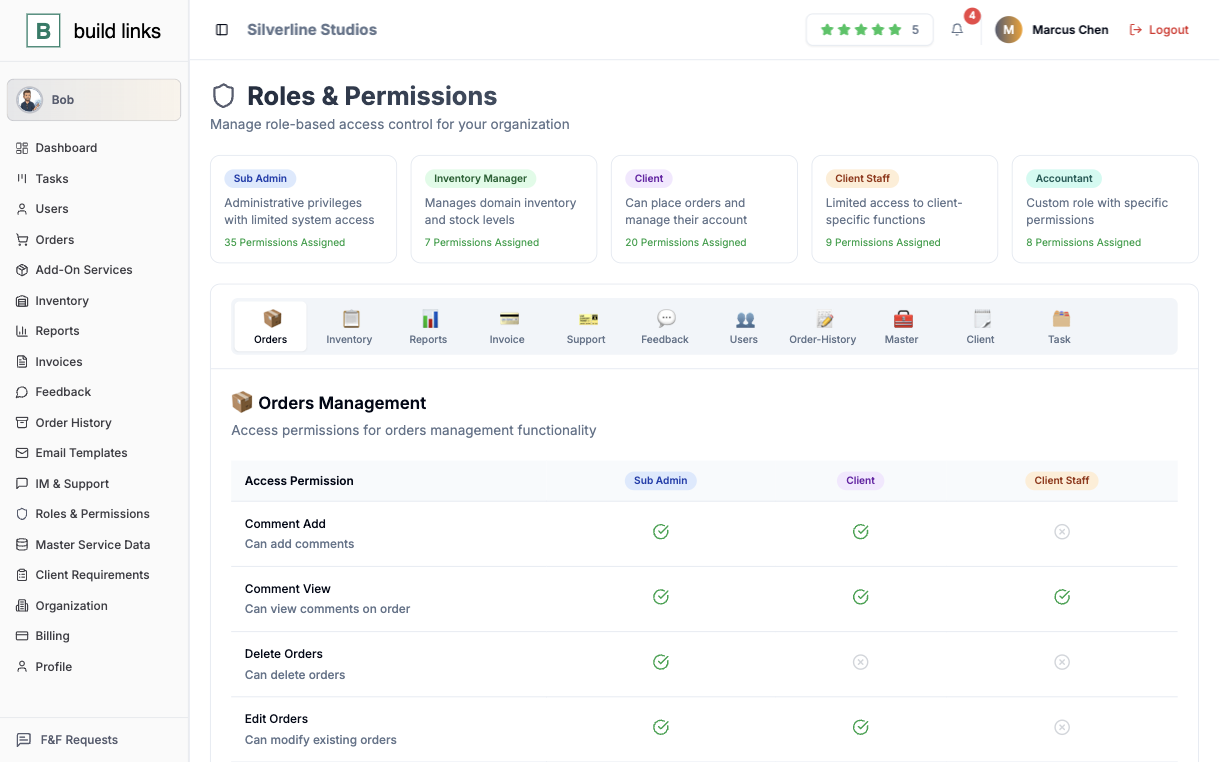
Nobody sees more than their job
A Super Admin sees the whole agency. A Sub Admin runs their own clients and nobody else's. An Inventory Manager keeps domains current without touching a dollar. A client sees their own orders, never your pricing, never another client's.
- Six roles, from Super Admin down to Client Staff
- Sub Admins manage their own book, with zero crossover
- Every action attributed to the person who did it
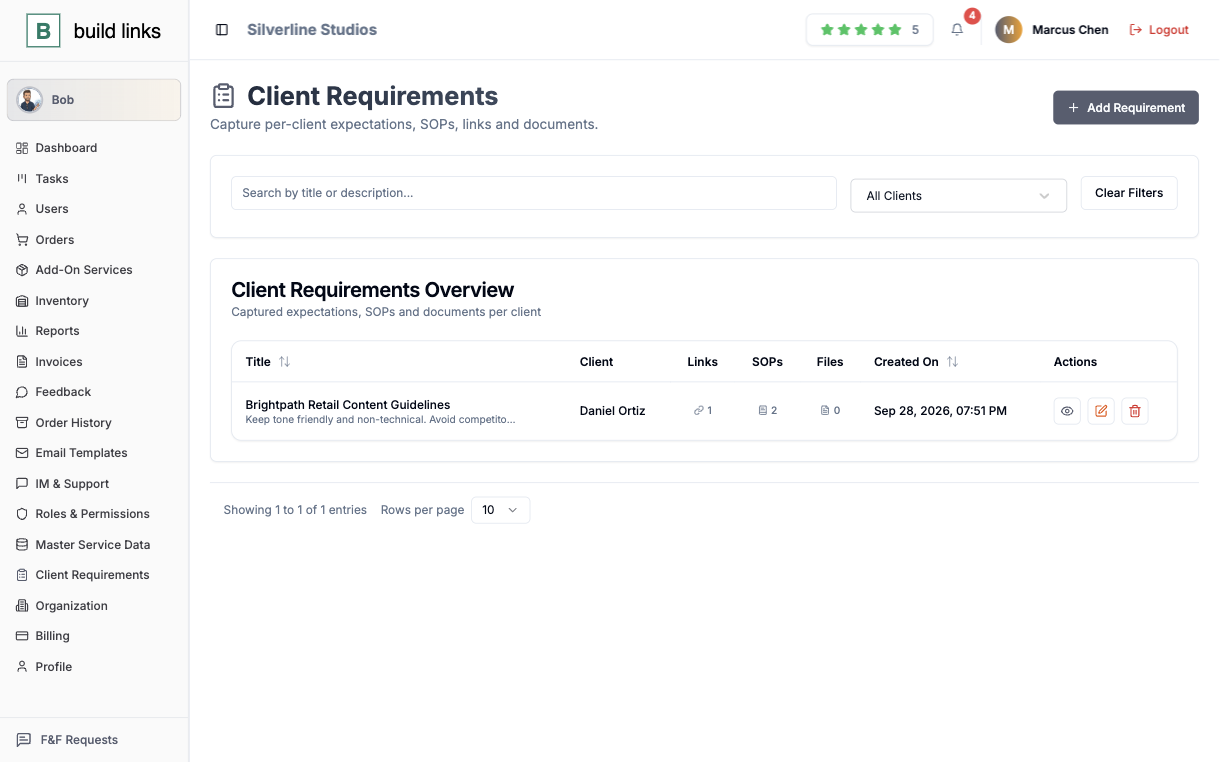
The brief lives on the account, not in someone's head
A structured intake per client, title, description, reference links, and a running list of SOPs, so the person working an order next isn't re-asking what the last person already knew.
- One brief per client, no scattered doc to dig through
- Reference links and SOPs attached once, ready when needed
- Visible to whoever picks up that client's next order
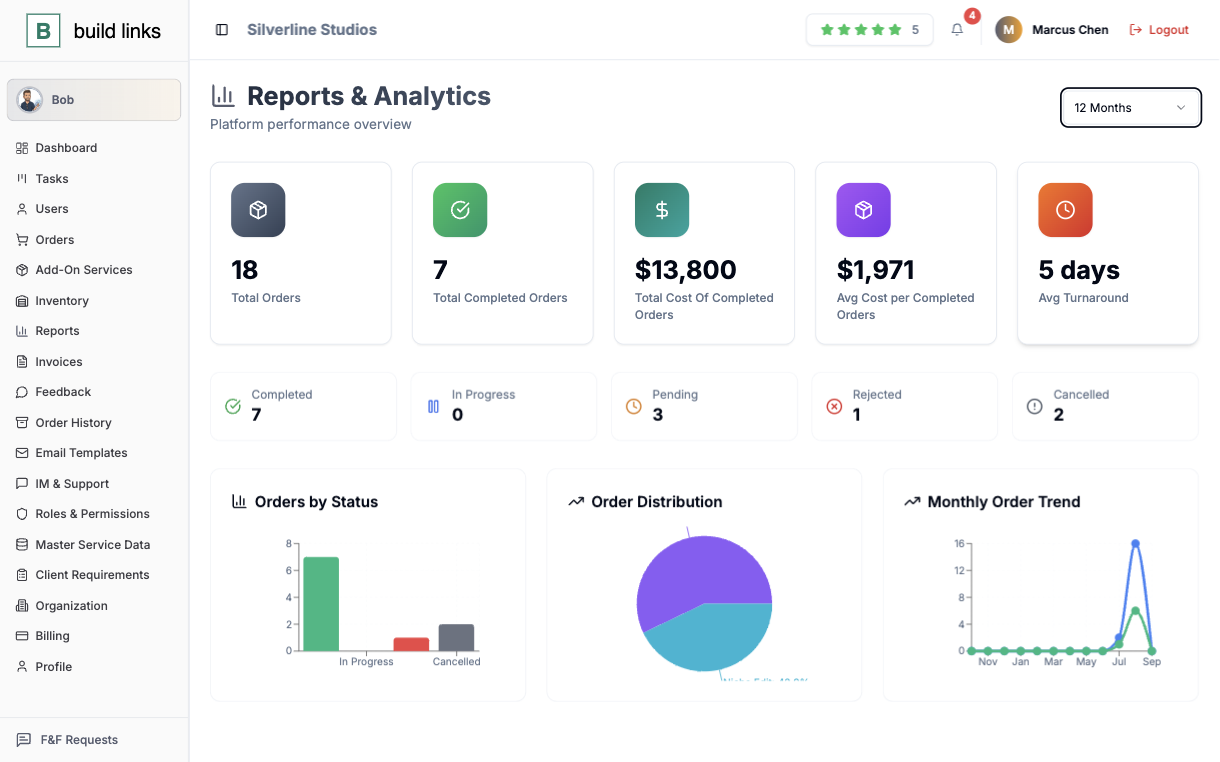
One client's numbers, or the whole book
Total spend, average cost, average turnaround, and a guest post vs. niche edit split, for whatever window you pick, scoped to a Sub Admin's own clients, or the full agency for an admin.
- Total spend, average cost, and turnaround by date range
- A full order-status breakdown alongside the total
- Scoped automatically to what each role should see
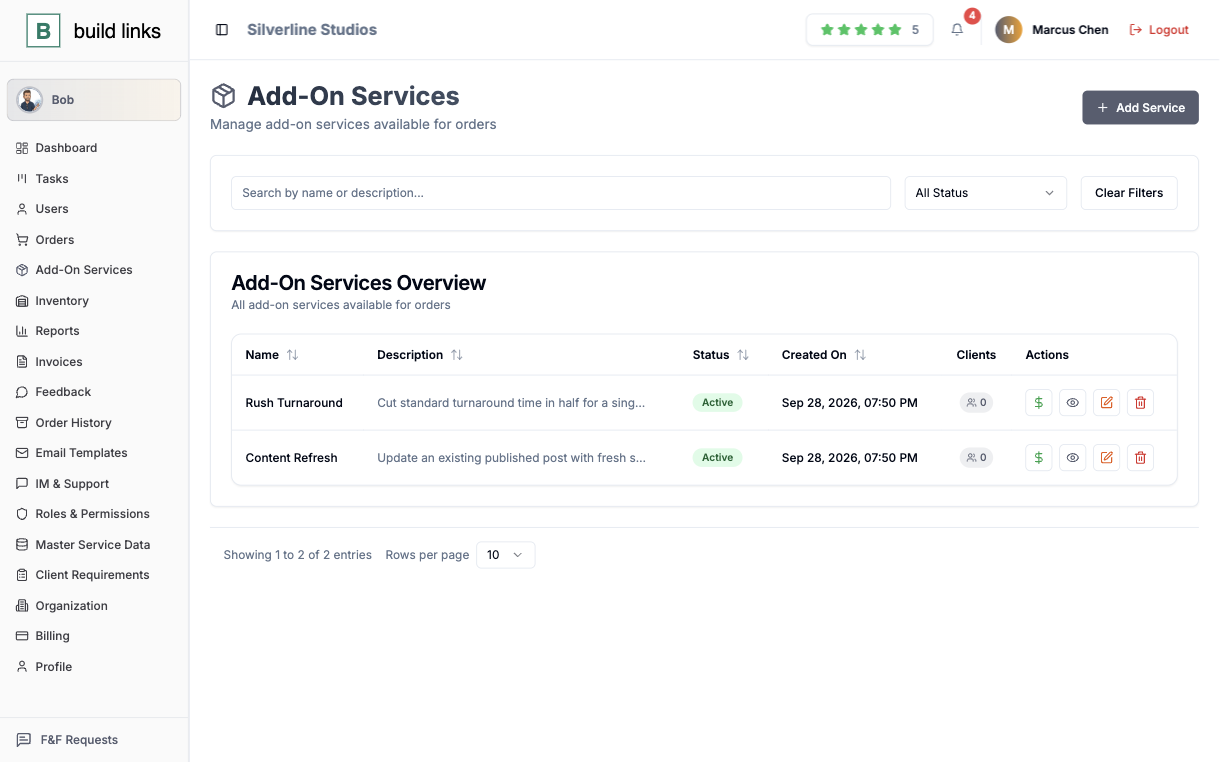
Extra work, billed without a new contract
Keep one flat-priced catalog of add-ons, a rush turnaround, a content refresh, and attach one to any order in a click. Need a different rate for one client? Override it there without touching what the rest of your book pays.
- One shared catalog, attached to any order in a click
- Per-client price overrides that leave the catalog untouched
- Turn an add-on off without losing its order history
One order, start to finish, without you in the middle.
Five steps a single order takes, and the owner is needed for none of them.
The brief is already on file
Title, description, reference links, and SOPs sit on the client's account before the order does, so whoever picks it up isn't asking what the last person already knew.
The right person picks it up
A Sub Admin only ever sees their own book of clients. An Inventory Manager only sees domains. Whoever touches this order can only touch what their role allows.
The link verifies itself
The moment a guest post or niche edit publishes, BuildLinks rechecks it's actually live before marking it Completed. Nobody has to go look.
The invoice writes itself
Completing the order completes its invoice too, branded to you, with the client's own due-date rules already applied.
The client only ever sees your side of it
They log into a portal on your domain, with your logo, and see their price. The vendor cost behind it stays with you.
Your margin stays on your side of the account.
Two people open the same order. Each one sees a different set of numbers.
What you see
The full picture of what a placement costs and what it earns.
- The vendor cost of every placement
- The price you set for that client
- Add-on prices, with per-client overrides
- Total spend and average cost across the book
What your client sees
Their own account, at the price you quoted.
- Their price for each order
- Their own orders and invoices
- Their named Account Manager
- Nothing that belongs to another client
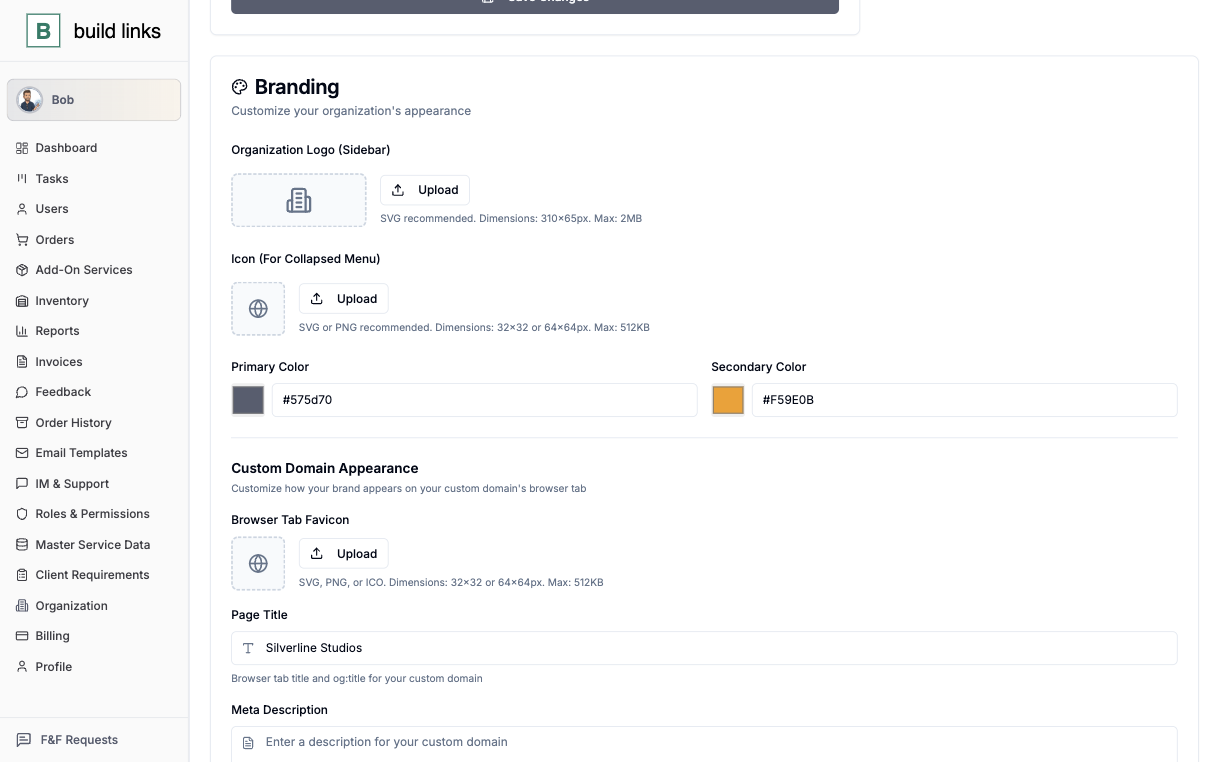
A dashboard that looks like yours, because it is.
Your logo, your colors, your domain go in front of every client. Nothing on the invoice, the portal, or the report points back to us.
- Your logo, colors, and domain on every client dashboard
- A client sees only their own orders and invoices
- Sub Admins run their own clients with zero crossover
- You set the client price; vendor cost stays visible only to you
The rest of the day-to-day.
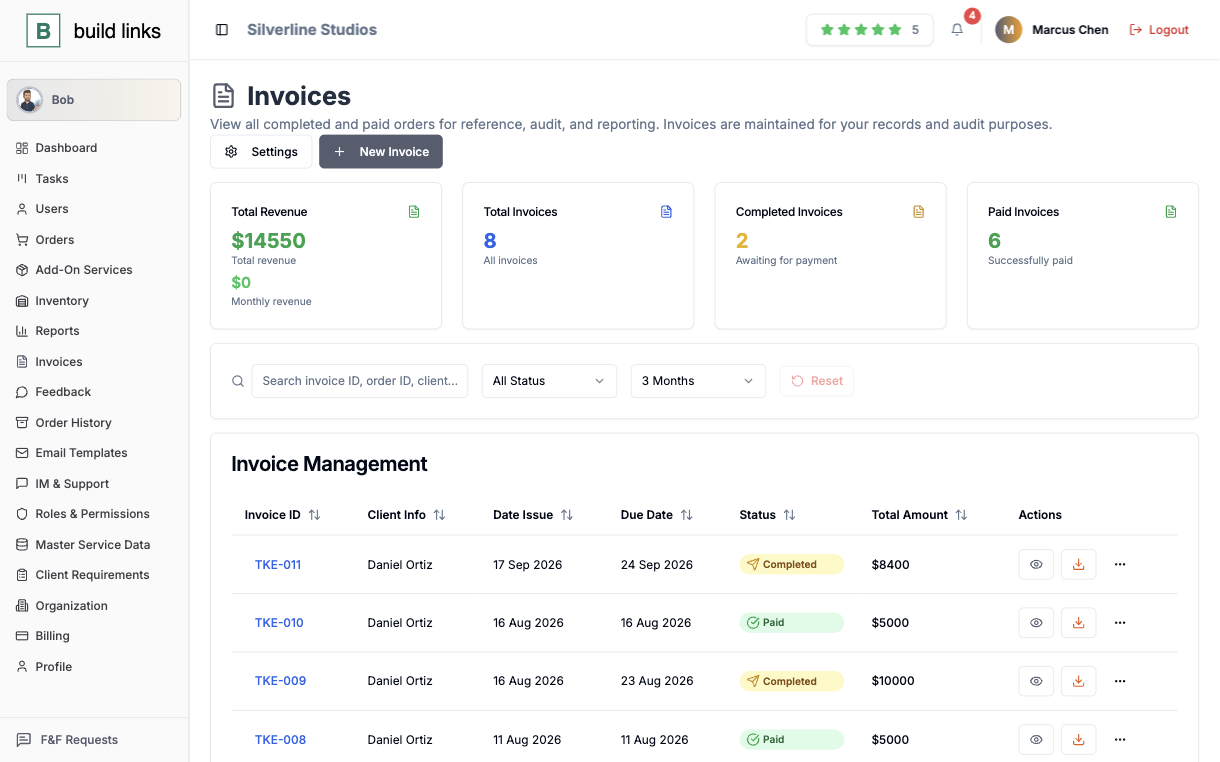
Ten clients invoiced as fast as one
An invoice writes itself the moment an order's done, with line items, price, and due date, so nobody retypes a number across ten accounts.
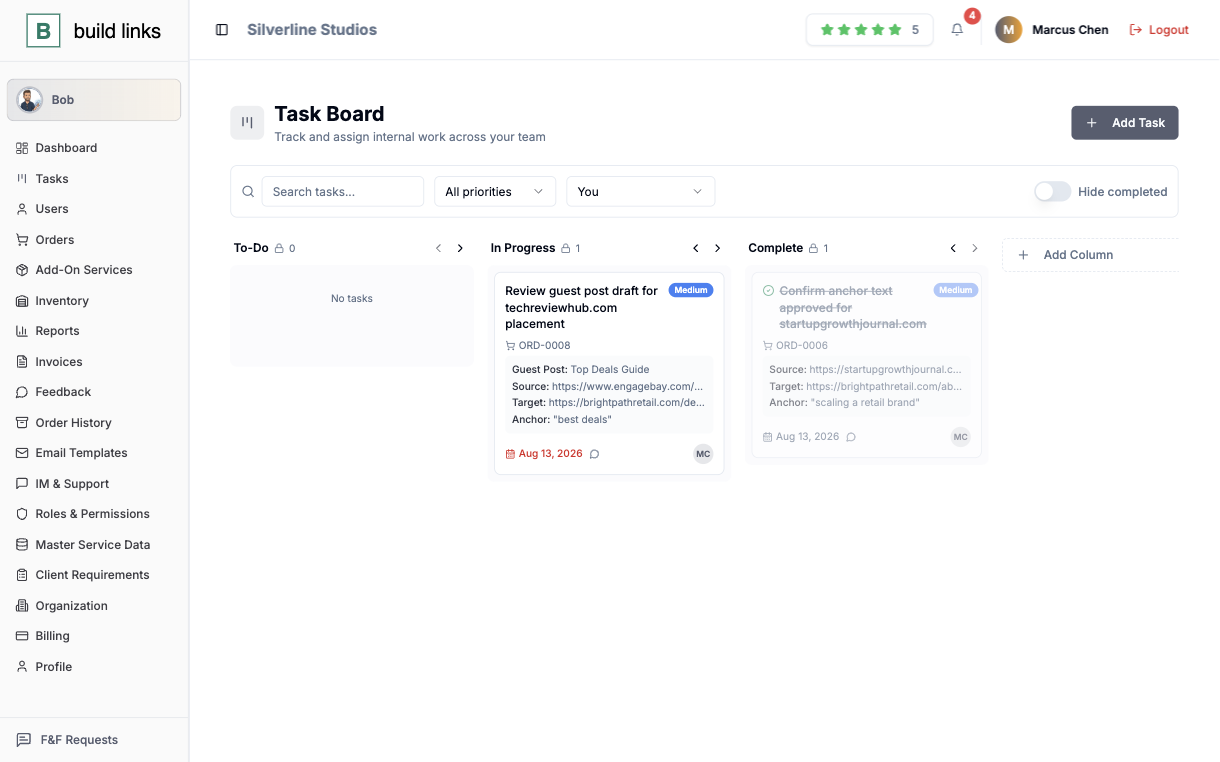
Work that skips the group chat
A kanban card for the work behind an order already carries its anchor text and URL, with @mentions instead of a Slack ping.
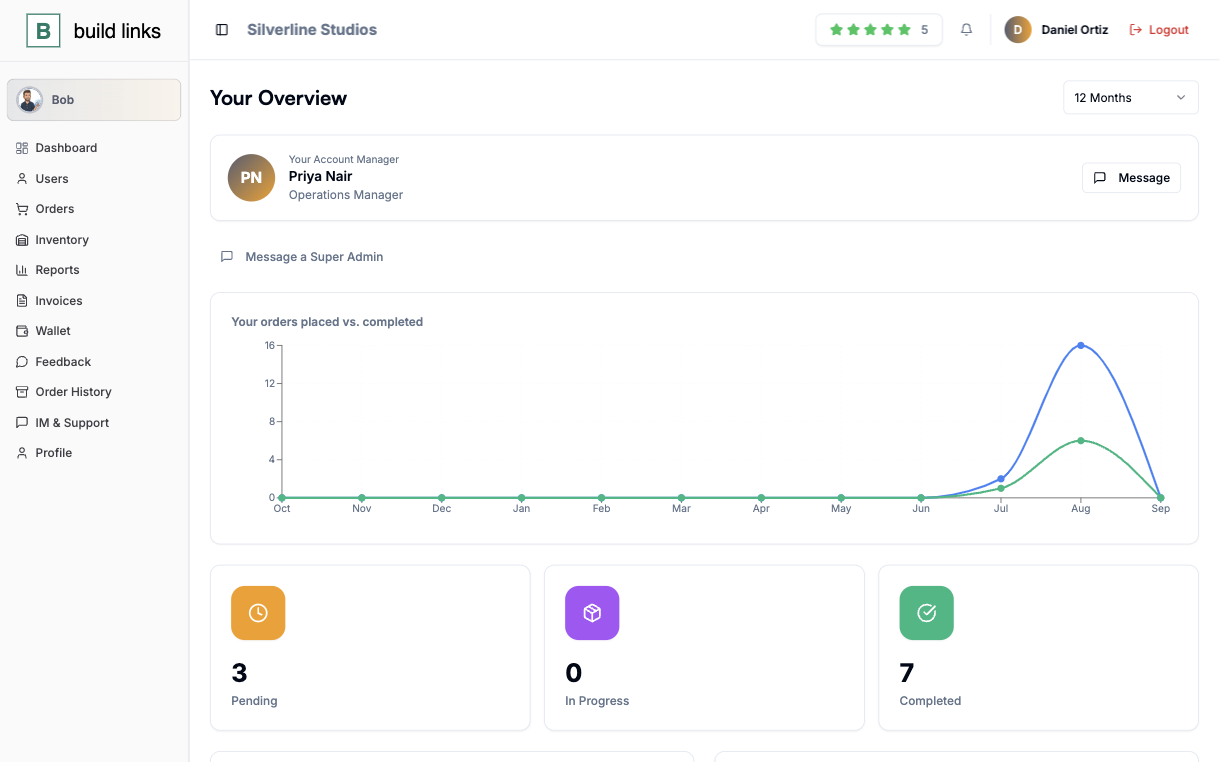
A name clients recognize
Every client dashboard shows their real Account Manager, with a photo, a title, and a direct line.
One polished email, sent to every client
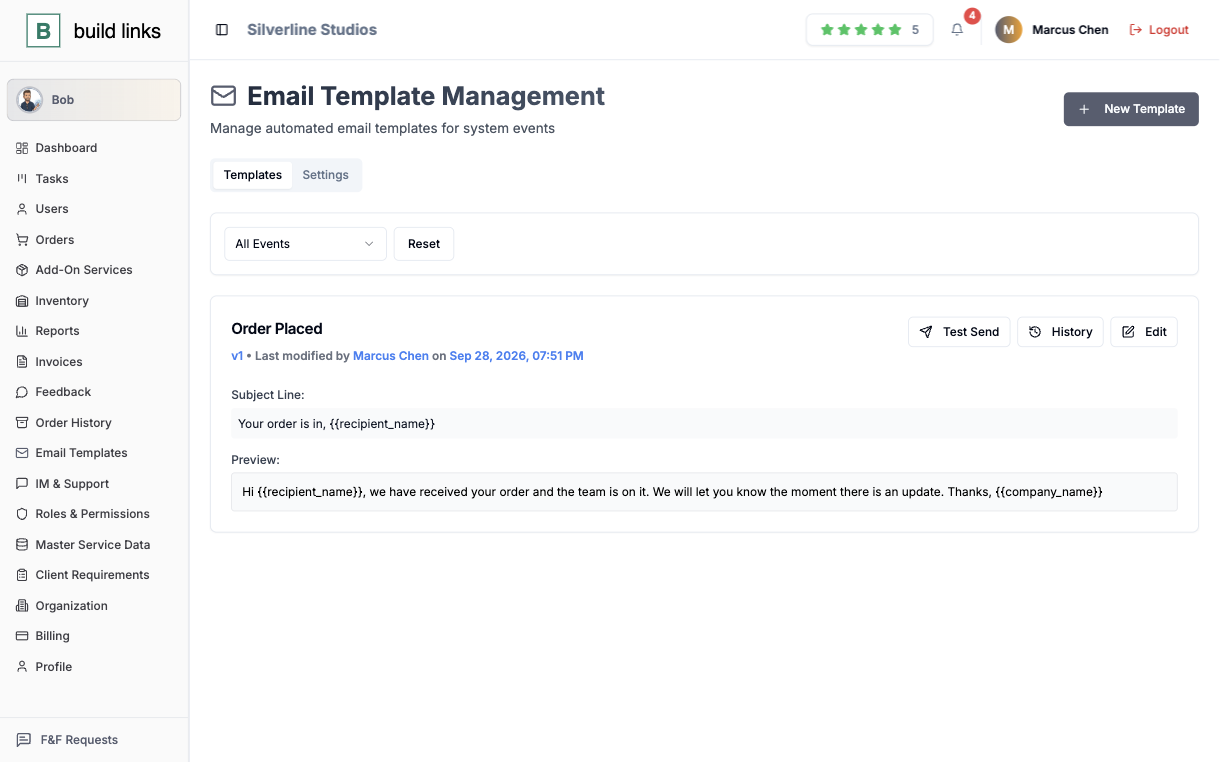
Twelve-plus system emails, from invoice sent to ticket answered, written once and versioned every time you edit them.
Support that doesn't live in an inbox
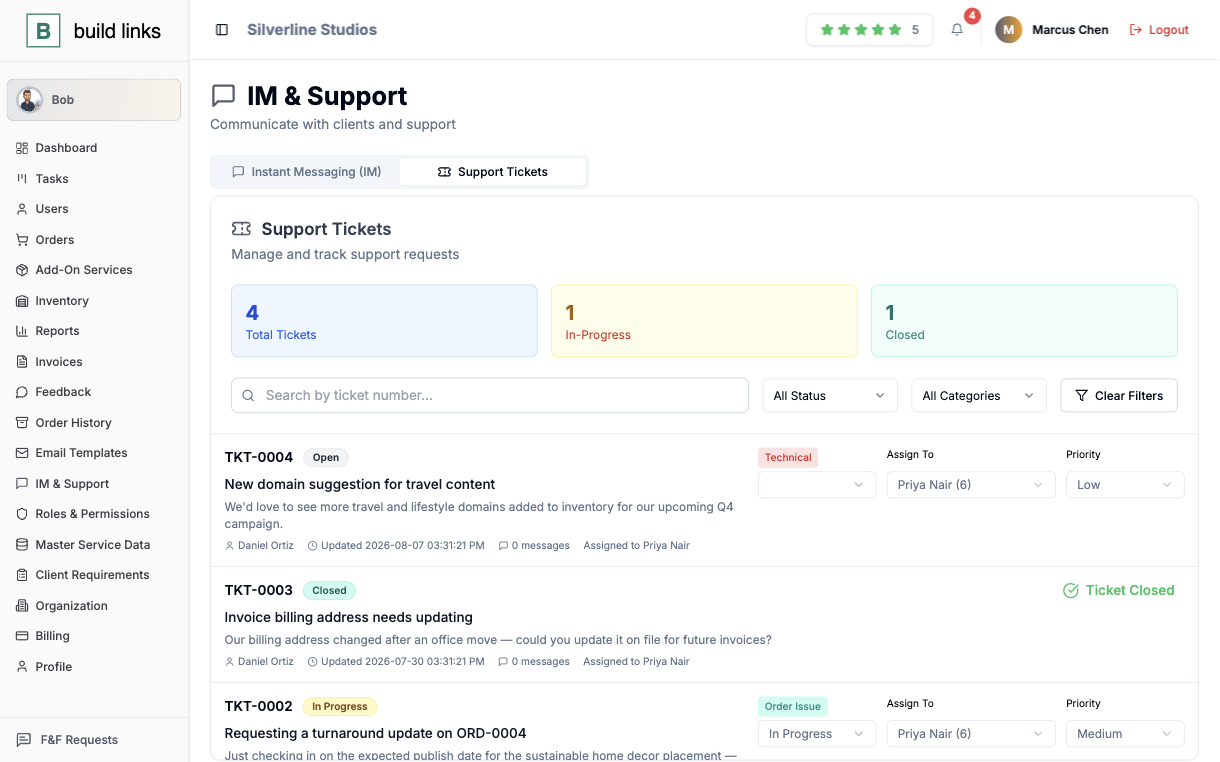
Tickets get assigned, prioritized, and tracked to closed, sitting right next to the order they're about.
Add seats when the book grows.
Plans differ by volume and by whose name the client sees. The way you work stays the same on all three.
Your first clients
Run real orders for real clients before you commit to more.
- 200 orders and 200 invoices a month
- 1,000 domains in your inventory
- Up to 100 clients
A team under your brand
Bring staff in with role-based access and put your own name in front of clients.
- 500 orders and 500 invoices a month
- 20 Sub Admin and 20 Inventory Manager seats
- Client portal on your own domain and email
- Bob, the assistant, included
A bigger roster
For a book of clients larger than the other two plans allow for.
- Unlimited orders, invoices, and domains
- 200 Sub Admin and 200 Inventory Manager seats
- Up to 1,000 clients
Working alone for now? BuildLinks for Freelancers covers the same platform from a solo point of view.
Compare every limitOne assistant, everyone's shortcut.
Any teammate can ask Bob to place an order, check a status, or move a due date. It only acts inside whatever that person's role already allows, and stops to ask first on anything that can't be undone. Included from the Agency plan up.
Questions agencies ask first.
No - Sub Admins manage their own book of clients independently, with no visibility into clients that aren't theirs.
No. The Agency and Custom plans include a white-label custom domain with your own logo and brand colors - invoices and reports never mention us.
The Agency plan includes 20 Sub Admin seats and 20 Inventory Manager seats with role-based access. The Custom plan raises both to 200.
Every action is logged to the person who actually did it, across every role - Super Admin down to Client Staff.
What it takes to try it with one client.
No credit card
Every plan starts with a free trial, and starting one takes no card.
No sales call, no setup fee
Create the account yourself and add your first client the same way.
Cancel anytime
Run one client through it before you move the rest. If it does not fit, you stop.
Bring your first client onto one dashboard today.
It takes less than five minutes to set up.
Start free trial