A week in the life of the setup you're using now.
A spreadsheet, a group chat, and an inbox can each work fine on their own. Watch what happens when a real week runs through all three at once.
It doesn't fall apart all at once.
It drifts, one small gap at a time, until the gaps are the whole system.
The spreadsheet is still right
Every price matches what you quoted. Every vendor's turnaround is current. For now.
A vendor raises a price
Nobody updates the row. The client still sees the number from two weeks ago, because that's what's on the sheet.
A client asks for a status
The real answer is buried in a Slack thread from ten days ago, assuming anyone can find it again.
The invoice doesn't match anyone's numbers
What was actually agreed lives in an inbox somewhere, and by now three people remember it three different ways.
This is what replaces all three.
Domain inventory, order tracking, and invoicing, held by the one system built to carry all three at once instead of three separate ones that were never meant to talk to each other.
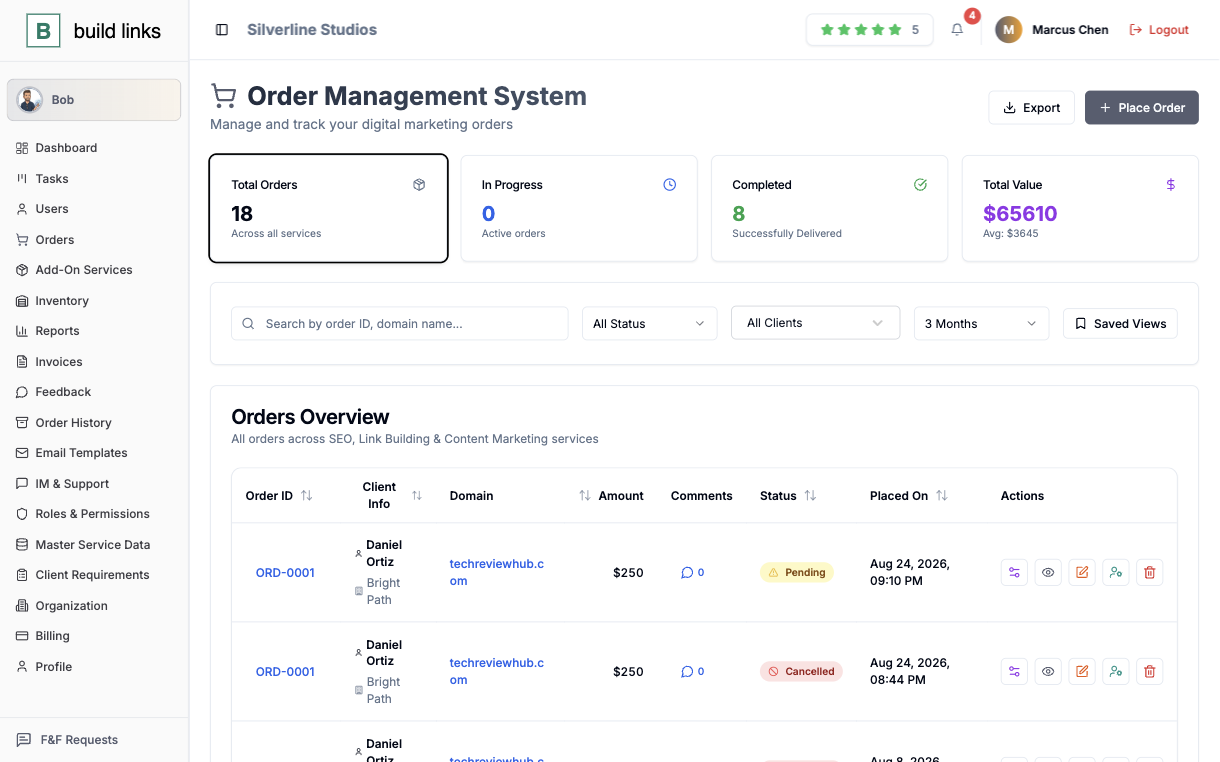
| Category | The old way | build links |
|---|---|---|
| Domain & vendor inventory | Spread across spreadsheet tabs. Pricing and turnaround times go stale the moment nobody updates them. | One inventory - domain rating, traffic, your own pricing per client, turnaround time, and guidelines. |
| Order tracking | Whatever's typed into the sheet. Anchor text and target URLs can get overwritten by mistake, and "Completed" is whoever last checked. | Pending, In Progress, Completed. Target URL and anchor text lock the moment an order is placed, with link verification running automatically on publish. |
| Client visibility | Clients ask in the Slack channel and wait for someone to check and reply. | A white-label client dashboard where clients see their own orders, any time, without asking anyone. |
| Invoicing | Typed by hand from the spreadsheet. Due dates tracked in someone's memory, or not at all. | Generated automatically from completed orders - line items, pricing, and due dates included, branded to you. |
| Team access | One shared sheet and inbox. Everyone who can open it can see every client's pricing and every vendor's cost. | Six scoped roles: Sub Admins see their own book of clients, Inventory Managers see domains only, Accountants see invoices, Clients see only their own orders. |
| Tracking the placement work itself | A group chat, or nobody's system. "Did you draft that guest post yet?" with no record of the answer. | A kanban board, tasks linked straight to the order they're for, with @mention comments. |
| Getting paid | Chase an invoice, wait on a bank transfer, hope it lands before the next placement is due. | A wallet balance pays invoices instantly - funded by a client top-up or a coupon you issued. |
| Checking a status right now | Dig through the sheet, scroll the Slack channel, search the inbox. | Ask Bob. "What's the status on ORD-0413?" gets an answer immediately, no digging. |
| Growing past one person | Tribal knowledge lives in whoever set up the spreadsheet. Onboarding a teammate means re-explaining the whole system. | The same dashboard, solo or with a full team. New teammates see exactly what their role allows, from day one. |
The upkeep you stop doing.
Three tools stay in step only because someone keeps them in step. These are the jobs that person gets back.
Fixing a spreadsheet row each time a vendor changes a rate
Updated on the domain, onceChange one price, or add and update pricing in bulk through CSV.
Scrolling a chat thread to find what was agreed
Locked on the orderTarget URL and anchor text are fixed the moment the order is placed.
Hiding the cost column before you share the sheet
Clients only see your priceWhat you paid the vendor stays on your side of the account.
Keeping due dates in someone's head
Set once per clientDue-date rules apply to every invoice that client receives.
Working out VAT or GST by hand
Applied by countryThe rate is added to the invoice automatically.
Explaining the whole setup to a new hire
Scoped by their roleA new teammate sees what their role allows from the first login.
Switch one client first.
Nothing has to move in one go. Run a single client's next order through BuildLinks and keep the rest where it is until you've seen it work.
Add the domains that client buys from
Enter rating, traffic, turnaround, and your price for them. Pricing can also be added in bulk through CSV.
Place their next order
The target URL and anchor text lock when you place it, and the link is verified when it publishes.
Let the order invoice itself
Once it completes, the invoice is generated with its line items, price, and due date.
Move the rest when you're ready
If there is a lot to bring across, tell us where you're migrating from and roughly how much needs to move, and we'll walk you through it.
Before you switch anything over.
No - your domain rating, traffic, service type, and your own per-client pricing move into one inventory, not a rebuild from scratch.
Completely, for the things it's built to hold - domains, orders, and invoicing. It's one system carrying what three separate tools used to.
Just a dashboard on your own domain, with your logo and colors. They log in to see their own orders - nothing about BuildLinks shows.
Still there for actual conversation. What moves out is the status-checking and the agreements that used to live in them, onto the order they're about.
What it takes to try it.
No credit card
Every plan starts as a free trial with no card on file.
No sales call, no setup fee
Create an account and place your first order yourself.
Cancel anytime
Run one client through it first. If it does not fit, you stop.
Run next week's orders through one system instead.
Free to start, no card required.
Start free trial